


|
By Vivek Arora
Your delivery team looks fully loaded. Timesheets come in complete. Projects are running. Nobody is sitting idle. Then the month closes, and the margin on a client project lands below plan. Nothing obvious went wrong. The team worked hard. The client got the work. Still, the numbers do not match the effort. This happens because a full day and a billable day are two different things.

|
By Prerna
Your timesheet says the week is full. What it does not say is what happened inside those hours. That gap is where most work visibility problems begin. A logged hour confirms that someone recorded time. It does not confirm what they worked on or what came out of it. More IT services and outsourced delivery firms now want to close that gap. They want to know where working time goes and how it connects to real output. The problem is simple to describe and hard to solve.

|
By Ash Grover
Your revenue can grow while your margin gets thinner. The reason is usually not price. It is paid time that never turns into paid work. Time leakage in service businesses causes most of that damage. You see revenue closely. You rarely understand what happens to the hours behind that revenue. You already pay for every hour your team works. You only get paid for some of them. The gap between those two numbers is where your margin lives.

|
By Prerna
Month-end arrives. Payroll shows one number. The invoice shows a smaller one. Nobody in the room can explain the difference. That difference is not a mystery. It is the space between total hours and billable hours, and it decides your margin every single month. This guide breaks down billable hours vs non billable hours and total hours worked. You will learn what each one measures, how to turn them into a utilization figure and what changes once the record becomes something you trust.

|
By Ash Grover
Your delivery team is executing projects on time. Utilization looks strong across the board. Your team worked the hours and billed the clients. But when you close the month and reconcile billing against time records, something doesn’t add up. The hours your team worked don’t match what you charged. The projects that look profitable on paper aren’t. And the margin you expected has quietly disappeared.

|
By Vivek Arora
Teams without capacity visibility are always one crisis away from another missed deadline. Work piles up unevenly. Skill gaps go unaddressed. Teams are left reacting to problems instead of preventing them. Capacity planning software fixes that. It matches your team’s actual availability to real demand using real-time tracking and intelligent workload distribution. The result is smoother projects, fewer delays, and less guesswork.

|
By Prerna
Revenue growth is often viewed as a sign of success by service businesses. More clients, more projects, and higher revenue should lead to higher profits. However, many service businesses have a different experience. They notice revenue increases, but margins remain the same or even begin to decline. The reason is simple. Revenue can tell you how much money is coming into your business, but it fails to show how efficiently work is being delivered. Research by U.S.

|
By Ash Grover
Most service businesses aren’t struggling with a lack of data. Your teams track time. Projects generate status updates. Managers review utilization reports. Finance teams monitor revenue and costs. Yet when you answer, the picture is often unclear. The challenge isn’t collecting information. It’s connecting information in a way to help you make better decisions.
|
By Prerna
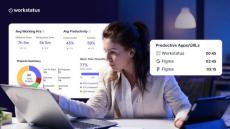
A ten-person team can log the same 400 hours every week. One month, they ship two client projects early. The next month, they barely close one. Same hours. Different outcomes. The difference is not effort. It’s where the hours go: deep work or busy work. This isn’t a productivity problem. It’s a margin problem. As per Gallup’s latest global workplace data, employee engagement fell to just 20% in 2025, the lowest in five years.
|
By Vivek Arora
Every IT leader has lived this moment. The week ended; everyone was visibly engaged, meetings happened, tickets moved, and projects progressed. Then someone asks, “What exactly got accomplished this week?” and the answer isn’t as clear as it should be. For service businesses, this is not a small gap. When work hours are not connected to project outcomes, small inefficiencies build up quietly, and they rarely stay small for long.
|
By Workstatus
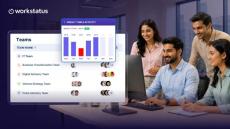
Explore the latest updates in Workstatus, designed to give teams better visibility and more flexibility in managing their work and reports. Here’s what’s new in this sprint: Updated Dashboard Get a clearer view of working hours, productivity, project performance, invoice status, projects, and task status from one centralized dashboard. Flexible Time & Activity Report Scheduling Schedule Time & Activity Reports based on your preferred delivery frequency, day, and time, making it easier to align reports with your reporting cycle.

|
By Workstatus
Explore the latest Workstatus updates, designed to provide deeper visibility into productivity, projects, and resource planning. Here’s what’s new in this sprint: Watch the full changelog to see these updates in action.
|
By Workstatus
Explore the latest updates in Workstatus, designed to make task creation simpler and report scheduling more flexible. Here’s what’s new in this sprint: Simpler Task Creation The Create Task experience gets a cleaner field layout and improved presentation, making task creation quicker and easier to navigate. Flexible Time & Activity Report Scheduling Schedule Time & Activity Reports based on your preferred frequency and delivery day, making it easier to align reports with your reporting cycle.
|
By Workstatus
Explore the latest updates and improvements in Workstatus, designed to provide better visibility into project performance, team productivity, and work management. In this sprint walkthrough, we cover: Project Management Dashboard – Get a clearer view of project delivery, budget burn, task status, and key performance metrics. Project Insights – Review project profitability, upcoming milestones, top contributors, and delivery information.

|
By Workstatus
What happens when your entire team suddenly goes remote? In this video, we break down how managers can maintain visibility when work moves outside the office - without resorting to micromanagement. You’ll see how to:→ Spot work that’s getting stuck→ Identify uneven workloads before they become a problem→ Understand whether work is actually progressing→ Maintain visibility across a distributed team→ Stay in control without turning remote work into surveillance.
|
By Workstatus
What if your work dashboard could tell you more, your reports could give you better clarity, and your workflows could take fewer steps? That’s what this Workstatus sprint is about. In this changelog, we’re walking through the latest updates, including.
|
By Workstatus
A lot can change in one sprint. This time, we’ve made Workstatus cleaner, simpler, and stronger - from a redesigned reporting experience to major backend improvements. Here’s what you’ll find in this video: Redesigned Reports - See what’s changed across Expense, Project & Task, App & URL, Weekly, Time Off Transaction, and Attendance reports. A More Consistent Experience - Updated typography and visual improvements across billing, subscriptions, settings, and more.

|
By Workstatus
The workplace debate has changed, but the mistake remains the same. We keep looking for simpler answers: Remote = better. Office = better. But productivity has never been that simple. The hardest part of managing modern teams isn’t knowing where people are working. It’s understanding why projects slow down, where time gets lost, and what decisions need to happen next. Maybe the next productivity breakthrough isn’t more tracking. Maybe it’s better visibility.
|
By Workstatus
The latest Workstatus update is here! From a completely redesigned Time & Activity Report to a simpler Member Settings experience and faster platform performance, this release helps teams manage work more efficiently than ever. In this video, you'll discover.

|
By Workstatus
Is your employee tracking software helping you lead... or just helping you watch? There's a big difference between surveillance and visibility, and confusing the two could be costing you productivity, trust, and your best employees. In this video, we explore why traditional employee monitoring often creates the wrong behaviors and what modern leaders should actually be measuring.
- October 2026 (4)
- September 2026 (6)
- August 2026 (10)
- July 2026 (10)
- June 2026 (8)
- May 2026 (7)
- April 2026 (9)
- March 2026 (8)
- February 2026 (7)
- January 2026 (8)
- December 2025 (8)
- November 2025 (8)
- October 2025 (8)
- September 2025 (19)
- August 2025 (9)
- July 2025 (8)
- June 2025 (11)
- May 2025 (9)
- April 2025 (5)
- March 2025 (6)
- February 2025 (5)
- January 2025 (10)
- December 2024 (10)
- November 2024 (20)
- October 2024 (13)
- September 2024 (2)
- August 2024 (2)
- July 2024 (3)
- June 2024 (4)
- May 2024 (7)
- April 2024 (7)
- March 2024 (5)
- February 2024 (9)
- January 2024 (13)
- December 2023 (25)
- November 2023 (14)
- October 2023 (15)
- September 2023 (16)
- August 2023 (22)
- July 2023 (18)
- June 2023 (23)
- May 2023 (28)
- April 2023 (20)
- March 2023 (7)
- February 2023 (13)
- January 2023 (8)
- December 2022 (3)
- November 2022 (6)
- October 2022 (4)
- September 2022 (4)
- August 2022 (11)
- July 2022 (10)
- June 2022 (7)
- May 2022 (13)
- April 2022 (15)
- March 2022 (16)
- February 2022 (5)
- January 2022 (1)
- December 2021 (3)
A complete suite for time tracking, workforce, and project management.
Get real time updates on how well the productive hours are consumed and where all lie the possibilities of improvement for a quick action. With Workstatus, employees also remain aware and conscious of their time spent in being productive.
The Productivity Suites:
- WorkstatusTime: An all-in-one time tracking app and time tracking software seamlessly managing remote and on-field teams across the globe.
- Workstatus Desk: the best way to keep track of your team's project status and easiest way to get started with time tracking. See how you spend your day in real-time.
- Workstatus Tasks: See how much time was spent on each task at a glance. Add tasks in one click and start time tracking instantly. Track your team's working hours from anywhere with our apps.
- Workstatus Field: Workstatus integrates together timesheets, GPS tracking, reporting, task management, and activity tracking in one dashboard for a wider and closer view into different perspectives. Manage all your projects under one roof with Workstatus’s field service management software.
Workforce Management Software With Integrated Workforce Analytics.