Teams | Collaboration | Customer Service | Project Management

How the Swedish public sector is modernizing communications without handing over control

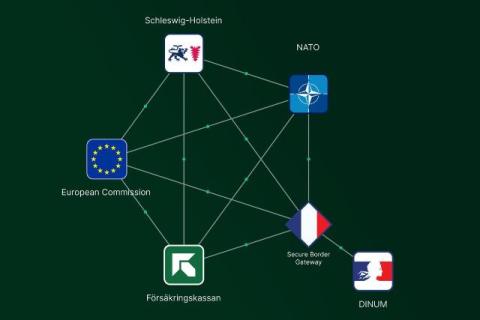
Trafikverket, the Swedish Transport Administration went live with federation on Rocket.Chat, chatting directly with Försäkringskassan, the Swedish Social Insurance Agency, which runs another Matrix-based platform. Neither agency moved to a shared platform or routed messages through a third-party bridge. Each kept its own deployment, its own admin console, and its own security posture, and users on either side can now open a conversation with the other agency as if they were on the same system.

How Integrated Collaboration Platforms Bridge the Gap Between Sales and Support

Historically, sales and customer support have traditionally operated in silos. Teams prioritized acquisition and revenue, while support focused on retention and customer satisfaction, often relying on separate systems with limited communication. The result was a fragmented customer journey and inconsistent experiences. Today, customer experience is a defining competitive advantage. Customers expect seamless interactions, regardless of department, making disconnected workflows increasingly unsustainable.

How Communication Tools Improve Remote IT Support

Understanding the New Normal: Distributed and Remote Workforces With more organizations embracing distributed and remote work models, IT support has become a critical pillar for operational success. The shift to remote work, accelerated by recent global events, has transformed how teams communicate, collaborate, and access company resources. According to a Gartner survey, 47% of companies plan to allow employees to work remotely full-time post-pandemic, highlighting the permanence of this trend.

10 Ways AI Can Improve Team Communication

AI workplace communication is transforming how modern teams connect, collaborate, and share information. From drafting messages and summarizing meetings to translating conversations and organizing knowledge, AI workplace communication tools are helping employees communicate faster and work more efficiently. As remote and hybrid workplaces continue to grow, teams often deal with overflowing messages, lengthy meetings, scattered information, and communication across different time zones and languages.

Proven Tips to Secure Your Business Communications

Secure business communications are essential for protecting sensitive information, maintaining customer trust, and reducing cybersecurity risks. As cyber threats continue to evolve, businesses need secure business communications to safeguard their internal and external conversations. From business emails and messaging platforms to file transfers and mobile devices, every communication channel can become a potential security risk if it is not properly protected.

Rocket.Chat 8.7 brings XMPP interoperability for coalition operations

Coalition operations depend on XMPP. NATO's Federated Mission Networking (FMN) builds on it, it is a standing requirement in coalition RFPs, and it has carried mission communications for more than 20 years. With release 8.7, Rocket.Chat federates with XMPP, so organisations can coordinate with every partner on the mission network from a single sovereign platform. This release is the first step in a larger build: native XMPP federation, engineered into the platform rather than bolted on.

10 Top Team Communication Tools That Actually Show Up in AI Search And Why It Matters

Choosing the right team communication tool has become more important than ever as businesses rely on seamless collaboration across remote, hybrid, and in-office teams. Organizations traditionally evaluated communication platforms by searching Google, reading product comparisons, and requesting demos. However, the way buyers discover and compare software is rapidly evolving with the rise of AI-powered search.

Slack School | Deploy Your Bolt App Anywhere

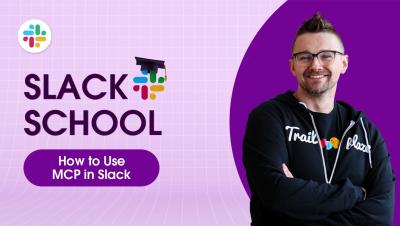
Ready to take your custom Slack app off your screen and out into the wild? In this episode, we'll show you how to clone a Bolt app from GitHub, install what it needs to run, and lock down your settings safely. Then, we'll wrap the whole thing inside a tidy Docker container so your app is travel-ready and prepared to host wherever you like. Class dismissed!

Data sovereignty: residency is the starting point, not the destination

‍ Most organizations asking about data sovereignty are actually asking about data residency. Where are the servers? Is there a data center in Germany, France, or the Netherlands? The vendor says yes. The procurement box gets ticked. The conversation moves on. This is understandable. Geography is concrete and auditable. And residency does matter. What it does not do is answer every question sovereignty requires. That gap is where the real sovereignty conversation begins.