Teams | Collaboration | Customer Service | Project Management

The latest News and Information on Time Tracking, Timesheets and related technologies.

How to Use Productivity Monitoring Software Without Micromanaging Your Team

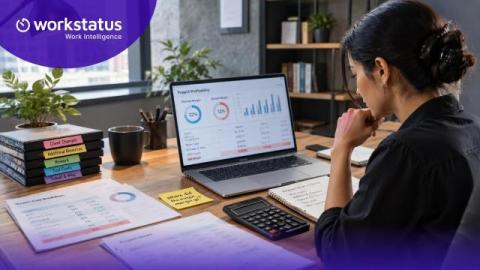
Every growing company hits the same wall. Leaders want visibility into how work gets done, and employees worry that visibility means being watched. The instinct to install monitoring software often runs into a very real fear, that oversight will slide into control. This tension is not really about the software itself. It is about how monitoring is introduced, explained, and used once it is live.

Workstatus Updates v6.18: New Reporting Suite, Client Portal Enhancements & Smarter Workflows

The latest Workstatus release is here with powerful new reporting capabilities, expanded Client Portal features, and a smoother experience across your entire workspace. In this video, you'll discover: Advanced Reporting Capacity & Bench Report for smarter resource planning Billable vs. Non-Billable Hours Report for utilization insights Timesheet Submission Report for improved compliance Cleaner report organization with pinned reports, scheduling, exports, and email sharing.

How to Give Clients Project Visibility without Giving Them Full Access

For agencies, giving clients project visibility often comes down to two imperfect options: manual reports that take time to prepare or broad access to a tool that can expose internal information. This guide shows how to create a controlled project visibility model that gives clients the right information at the right level of detail without handing over the keys.

Employee Availability: Meaning, Examples & How It Works

Employee availability refers to the days and times an employee is able or willing to work. Teams use availability to support staffing, shift coordination, schedule planning, and attendance visibility. The term differs from a work schedule, which refers to the specific shifts or hours an employee is assigned and expected to work.

Agency time tracking software: 6 tools I've tested for client work

Every agency runs on time. Whether you bill hourly, use retainers, or run fixed-fee projects, knowing where your team's hours actually go is the difference between profitable delivery and slow-motion margin erosion. Before I joined Teamwork.com, I spent years at agencies wrestling with exactly this problem: timesheets submitted days late, hours logged to the wrong project, and month-end reviews that felt more like forensic accounting than business management.

The COO's Guide to Measuring ROI with Workforce Analytics

Most COOs can tell you their revenue per employee. Far fewer can tell you why that number moved last quarter, or where it is heading next. Workforce decisions made without data carry a real and recurring cost, including avoidable turnover, idle headcount, overtime bleed, and compliance exposure, all of which only show up once it is too late to act on them.

Time Tracking and Work-Life Balance: 5 Ways to Find and Stop Over Work

Your team is working hard. But you don't actually know how hard until the hours are logged. I've seen this pattern repeat throughout remote and hybrid teams. The schedule looks reasonable on paper. But the real hours tell a different story. Someone is absorbing more than their share, and nobody flags it until their mental health is already exhausted. That’s why I'll share with you the ways time tracking and work-life balance connect.

How to Manage Time Off Policies Across Distributed Teams

Managing time off in distributed teams can be a nightmare for agencies. Holiday calendars, PTO rules, approval paths, and work schedules become increasingly difficult to manage as teams add employees in different countries. This guide shows how to centralize time-off management across distributed teams, so HR and People Ops can manage requests, balances, approvals, and availability without relying on separate spreadsheets for each region.

What Data is Collected in Time Tracking Apps: Hours, Activity, and More

Most employees have no idea what their time tracking app records. They clock in, the timer runs, and somewhere on a server, data builds up. Depending on the tool, that data goes well beyond working hours. Some apps log URLs visited. Others capture screenshots every few minutes. In fact, a few tracks of the GPS location. To clear things up, let’s understand what data is collected in time tracking apps, what employers do with it, and what you have the right to know.