

|
By Augusto Diaz
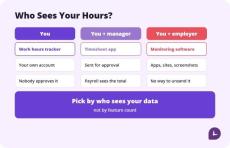
HoursTracker and Work Log are the best apps to track work hours for most hourly employees, because both calculate pay, handle overtime, and work without a manager account. Toggl Track is the best free option if you want a clean cross-platform timer without ads. Clockify is the best choice when your whole team needs to log hours. Pick by who sees your data, not by feature count. Most “best time tracking app” lists are written for the person who signs the invoice.
|
By Augusto Diaz
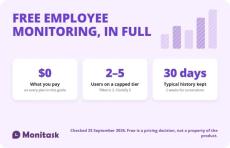
Free employee monitoring software exists, but almost every plan is capped somewhere: at 2 to 5 users, at 30 days of data, or at the features that make monitoring useful. Only a few tools are genuinely unlimited, and those trade the user cap for self-hosting or a narrower feature set. Check the cap, the retention window and the export path before you install anything.
|
By Augusto Diaz
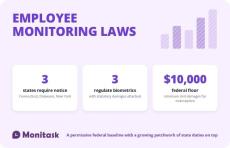
Employee monitoring is lawful across the United States. That is the correct starting point and it is where most guides stop, which is why employers get caught out by the second half. Federal law permits an employer to monitor its own systems for a legitimate business reason. Four states add a duty to give prior written notice, three regulate biometric identifiers, and a separate set of rules governs audio recording, video, GPS and how monitoring data is later used.
|
By Augusto Diaz
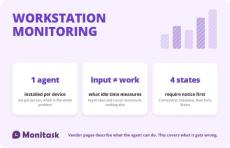
Workstation monitoring is the device-level layer of employee monitoring: a software agent installed on a computer that records application and website use, active and idle periods, and optionally file events and screenshots. Every product page in this category explains that the agent is lightweight, deploys by Group Policy and keeps recording when the machine is offline. All true.
|
By Augusto Diaz
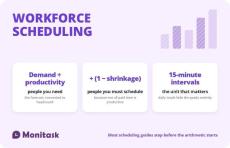
Workforce scheduling is the process of matching staffing to demand across time, within a labour budget and whatever rules apply to your workforce. Every article on the subject agrees on that definition, lists the same components, and then moves to software. The part that decides whether a schedule works is quantitative, and three numbers do most of the work: Miss the second one and you will be understaffed by roughly a quarter every single week while your headcount looks correct on paper.
|
By Augusto Diaz
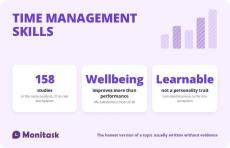
Time management skills are the abilities used to decide what to work on, protect the time to do it, and adjust when circumstances change. Every guide to this subject lists roughly the same nine or ten of them. What almost none of them mention is that the question “does any of this work?” has an actual answer.
|
By Augusto Diaz
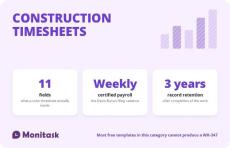
A construction timesheet records who worked, where, on what, and for how long. On a private job that is a payroll and job-costing document. On a federally funded or federally assisted job it is the source data for a weekly certified payroll report, and it needs two fields that almost no free template includes: work classification and cost code. The template below has both, splits straight time from overtime, and comes with a checklist of every field Form WH-347 requires.
|
By Augusto Diaz
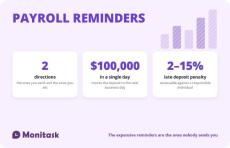
Search for payroll reminders and you get email templates for chasing timesheets. Those matter, and they are the cheap half of the problem. If a timesheet arrives late, payroll is inconvenienced. If a tax deposit arrives late, the penalty runs from 2% to 15% and can be assessed personally against the person responsible. Payroll reminders run in two directions. Outbound are the ones you send to employees and approvers.
|
By Augusto Diaz
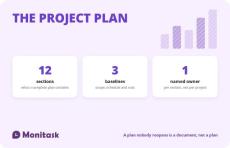
A project plan is the document that records what will be delivered, by when, by whom, at what cost, and what happens when any of those change. It is the reference the team and the stakeholders return to when there is disagreement, which is the only test of whether it was worth writing. Two things get conflated constantly and cause most of the confusion around this topic. A Gantt chart is not a project plan — it is the schedule section of one.
|
By Augusto Diaz
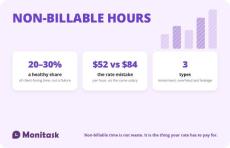
Non-billable hours are hours worked that cannot be charged to a client: internal meetings, admin, training, business development, proposals, and project overruns you chose not to invoice. Every guide to this subject treats non-billable time as a problem to minimise. That framing causes two expensive errors. It leads firms to price as though non-billable time does not exist, which understates the break-even rate by around 60%.

|
By Monitask
Screenshot monitoring is completely transparent to the employees and they control when the monitoring starts and when it stops.
- October 2026 (20)
- September 2026 (7)
- July 2026 (1)
- May 2026 (1)
- March 2026 (2)
- February 2026 (5)
- January 2026 (3)
- December 2025 (3)
- November 2025 (2)
- October 2025 (4)
- September 2025 (4)
- August 2025 (4)
- July 2025 (3)
- June 2025 (3)
- May 2025 (2)
- April 2025 (5)
- March 2025 (4)
- February 2025 (5)
- January 2025 (4)
- December 2024 (7)
- November 2024 (11)
- October 2024 (2)
- September 2024 (4)
- August 2024 (7)
- July 2024 (8)
- June 2024 (9)
- May 2024 (14)
- April 2024 (12)
- March 2024 (13)
- February 2024 (6)
- January 2024 (8)
- December 2023 (12)
- November 2023 (21)
- October 2023 (1)
- September 2023 (20)
- August 2023 (22)
- July 2023 (13)
- June 2023 (10)
- May 2023 (14)
- April 2023 (12)
- March 2023 (13)
- February 2023 (9)
- January 2023 (11)
- December 2022 (11)
- November 2022 (13)
- October 2022 (12)
- September 2022 (7)
- August 2022 (8)
- July 2022 (12)
- June 2022 (13)
- May 2022 (13)
- April 2022 (9)
- March 2022 (8)
- February 2022 (3)
- October 2021 (1)
- August 2021 (5)
- July 2021 (8)
- June 2021 (8)
- May 2021 (3)
- April 2021 (5)
- March 2021 (4)
- February 2021 (6)
- January 2021 (3)
- December 2020 (4)
- November 2020 (7)
- October 2020 (6)
- May 2020 (2)
- April 2020 (1)
- March 2020 (1)
- February 2020 (1)
- January 2020 (1)
- November 2019 (2)
- May 2017 (1)
Monitask is an easy-to-use time-tracking software designed for remote teams of employees that includes automatic timesheets and screenshots of employees’ workstations as proof of work done. Screenshot monitoring is completely transparent to the employees and they control when the monitoring starts and when it stops.
Employee Monitoring Software with Screenshots:
- View Employee Computer Screenshots and Records: Our application allows employees and freelancers to manually start a clock when they begin working on an assignment for employers. The application will take computer screenshots randomly or at intervals assigned by the employer, which can be reviewed online, as evidence that work is being performed. No spying, only transparency.
- View Apps Used By Your Team: Monitask monitoring allows you to check the programs your employee or freelancer uses when they track time. You can view a report to let you know each time a program is used and for how long. Analyze the best programs for your workplace to ensure you’re paying for the programs you actually need.
- Create Projects For Your Team: Monitask helps you to manage your team members’ projects. Simply create a project, assign relevant employees, and use the time tracking functionality to gather all the information you need on the project’s progress.
Monitask helps you to stay in touch with your remote team.