
Teams | Collaboration | Customer Service | Project Management

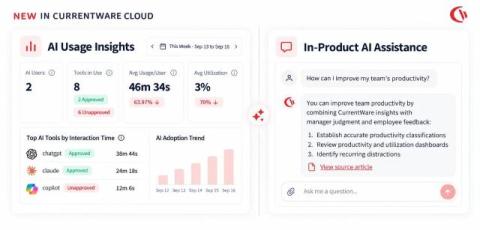
CurrentWare just got smarter about AI, inside your workplace and inside the product

AI is changing both how employees work and how IT teams manage the tools they rely on. We are building for both. This week, we added two new AI capabilities to CurrentWare Cloud. AI Usage Insights is the workplace side that shows you which AI tools your employees are actually using, how adoption is trending across teams, and where unapproved tools are showing up.
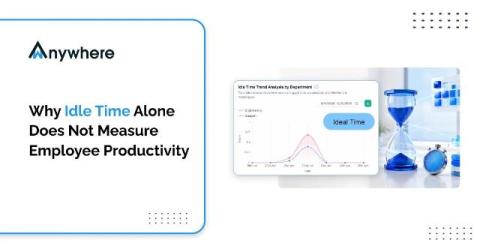
Why Idle Time Alone Does Not Measure Employee Productivity

Idle time measures the absence of keyboard and mouse input, not the absence of work. A dashboard counter may increase when a mouse stops moving, but it cannot distinguish between an employee who has stepped away and someone reading a contract, taking a client call, or thinking through a complex architecture decision before typing a single line.

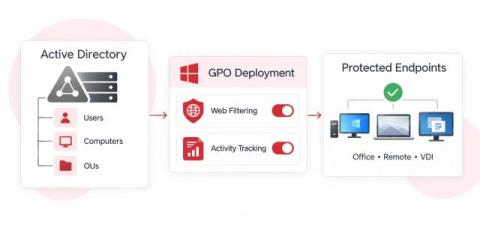
Active Directory Web Filtering & User Activity Tracking: Complete GPO Setup Guide

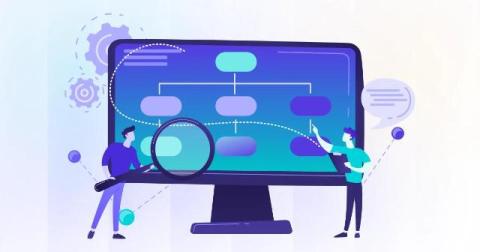
Active Directory Web Filtering & User Activity Tracking: Complete GPO Setup Guide Strong endpoint security, compliance, and greater employee productivity in hybrid environments require close integration with the organisation’s core identity infrastructure. In enterprise Windows networks, Active Directory Domain Services (AD DS) form the essential basis of the firm’s identity.

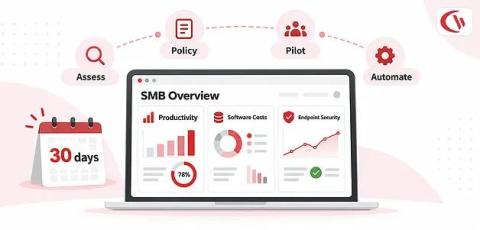
IT Monitoring and Employee Analytics Without Dedicated IT Staff: A 30-Day SMB Implementation Plan

Without a full IT department, visibility in a remote work scenario can feel less like a necessity and more like a luxury for a small or medium-sized business. For employees scattered across homes, co-working environments, branch offices, and various time zones, small and medium-sized business owners have some basic, burning questions they want answered: “Which applications are being utilized? Where is business time actually spent?

6 Best Remote Monitoring Tools with Productivity Scoring in 2026

Managing a remote team is easy when everyone is sitting in the same office. You can walk around, check in with people, and get a general sense of how work is moving. But remote work is different. Someone can be online all day without getting much meaningful work done. At the same time, someone else might spend hours in meetings, research, design software, or other work that doesn't necessarily produce a lot of keyboard or mouse activity.

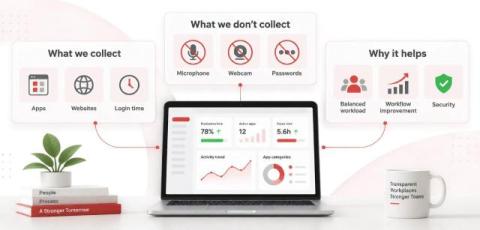
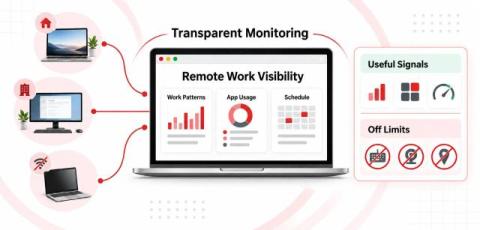
How to Monitor Remote Workers Without Micromanagement: A Non-Invasive Framework for IT

One remote worker might spend 3 productive hours working non-stop without ever touching their keyboard, while another might trigger hundreds of thousands of mouse movements with no meaningful output; that is the problem with monitoring remote work through surveillance: activity and productivity are not always synonymous.

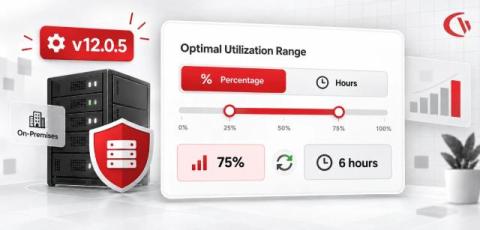
CurrentWare On-Premises Version 12.0.5 Is Live

As part of our ongoing updates & enhancements, we have introduced a more flexible way for you to configure your utilization rate targets. Managers can now choose whether to set and view utilization rate targets as a percentage or by hour, making it easier to align utilization goals with how their teams measure and benchmark productive work.