

Teams | Collaboration | Customer Service | Project Management

The future of Jira isn't just tracking work. It's delegating it.

For a long time, Jira was where you went to track work. You updated a status, closed a ticket. Something important has shifted now that agents can be assigned to work items. Jira is still a record of what happened, but now it’s something else too: a place where work can move between humans and agents. That shift got me thinking. What if I leaned into it fully and ran an experiment? What if each stage of the SDLC had its own specialized agent and the board itself handled the routing between them?


How Atlassian leaders are building a culture of AI-fluent teams

According to Atlassian’s 2026 State of Teams report, a growing gap has emerged: while AI makes individual tasks faster, many teams are struggling to keep that work aligned. In this panel discussion, Atlassian executives share an inside look at how they are operationalizing AI within their own departments to turn early experimentation into durable, connected ways of working.

"You Should Be A Little Uncomfortable": How Cursor Is Navigating the New Shape of Product Craft

Every week, it seems like the rules change for building products. We’re all figuring this out in real time, and one of the best ways we’ve found to do that is to sit down with other leaders who are in the thick of it. That’s why Atlassian recently started a series called AI Talks at our San Francisco offices with senior leaders building AI products. We break down what’s working, what’s broken, and what feels uncomfortable.

Jira for AI-native software development

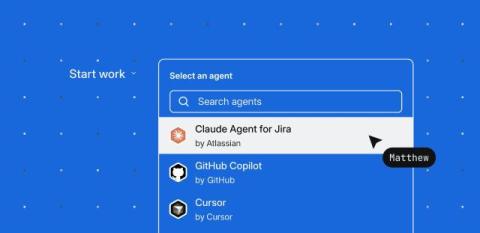
Jira is the new system for AI-native software development. Turn ideas into agent-ready technical specs with Jira Planner. Assign work to any agent, including Claude, Cursor, GitHub Copilot, Jira Coding Agent, and more. Track, review, and iterate on agent output in one place. Scale agentic work with by automatically assigning tasks to coding agents.

How we're evolving Jira for AI-native software development

Whether I speak to customers or Atlassian’s own engineering teams, the message is consistent: the unprecedented adoption of powerful coding agents has transformed software development, but the hard parts of delivering software are…gasp…still pretty hard. Teams still have to decide what to build, and why it should exist. They need to understand the system they’re changing and which constraints matter.

Tracking deliverables in Jira as a Product Manager | How I Atlassian

Tired of being your team's "status bot"? In this video, a Product Manager shares how she stopped chasing updates over DMs and started using Jira to keep her team aligned, so she can focus on what actually matters. Here's what you'll learn: How to centralize launch tasks in Jira as work items How to organize your backlog and pull priorities into sprints How to use work item comments so your team self-reports progress.

Capturing feedback in Jira as a Designer | How I Atlassian

Tired of digging through Figma comments, Slack threads, and random meeting notes just to find feedback? In this video, a Designer shares how he stopped sorting through scattered feedback and started using Jira to centralize it all, so he can get back to actually designing. Here's what you'll learn: How to create a work item with all your design details in one place How to share context and @mention reviewers with clear questions How to watch work items so feedback comes straight to you.

From tool to teammate: How one Atlassian team made AI a real coworker

In Q4 FY26, Atlassian’s People Insights (PI) team stopped treating AI as a productivity add-on and committed to something harder: fully agentifying its operations—giving AI persistent access to the team’s context, data, definitions, and workflows so it can act as a genuine collaborator rather than a smarter search engine.

For You Page for all your AI sessions in Jira | Atlassian

All your AI sessions in one place. The For You page in Jira gives you a real-time view of everything your agents are doing, what's running, what's finished, and what needs your attention. Review completed coding sessions, approve pull requests, and kick off new agent sessions directly from the page. Stay on top of your AI-powered workflow without hunting across tools. Watch to see how it works.