Teams | Collaboration | Customer Service | Project Management

How to Export a Miro Board - Quick and Easy!

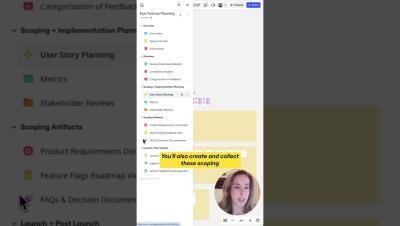
Need to share or save your Miro board? Exporting it is fast and simple! Whether it’s for presentations, documentation, or printing, this quick tutorial will show you how to: Master the art of exporting your boards with ease. Watch now to make sharing and saving your work effortless! Found this helpful? Like, comment, and subscribe for more Miro tips in under a minute!
GCP security best practices: 6 steps to building a safer cloud environment

Google Cloud Platform (GCP) powers the world’s largest companies and applications. But this kind ubiquity also brings with it greater security risks. And guaranteeing secure code — which can extend to secure data for your organization and customers — requires more than just flipping a switch. In this guide, we’ll walk through six practical GCP security best practices designed to help DevOps teams build safer, smarter cloud environments from day one.

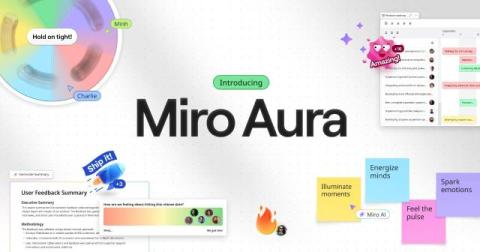
Introducing Aura: Miro's Product Design Language

At Miro, our goal is to help teams collaborate better to create the next big thing. Over the past year, we’ve built new features that help teams go further and faster together, transforming Miro into the go-to Innovation Workspace for millions. We also know true innovation doesn’t come from tools or features alone. It’s the emotions sparked throughout the creative process that make the difference, unlocking a connection to the work that inspires bold, meaningful innovation.

Build safer in the cloud: 5 Azure security best practices

Securing Microsoft Azure can feel daunting. It’s an enormous platform with near endless customizations and settings. Plus, threat actors are always on the hunt for vulnerabilities, and even small missteps—like an overlooked setting—can put your entire cloud at risk. The best strategy? Start secure from day one. Below, we’ll walk you through five security best practices every engineer team should know in order to protect their Azure environment.

Meet Aura: Miro's New Design Language for Creative Collaboration

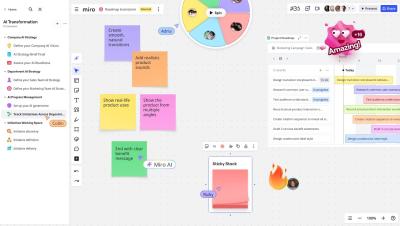
Introducing Aura, Miro’s new product design language — created to elevate creative collaboration for teams everywhere. It’s not just a fresh new look. Aura is all about making your time on the canvas more inspiring, intuitive, and delightful — whether you’re brainstorming, mapping ideas, or building next-gen solutions.

What's New: What we launched in April 2025

From powerful planning tools to interactive meeting and a visual refresh that makes everything feel just a little smoother, this month we’ve been busy bringing you updates designed to help your team move faster and collaborate more intuitively. Last month, at Behind the Canvas, we shared our vision for helping teams move from ideas to execution with greater speed, fewer barriers, and tighter alignment across every stage of work.

MASTER Miro in 2 Minutes: Fast, Simple, Powerful

Pressed for time but curious about Miro? In just 2 minutes, this video gives you a lightning-fast yet effective overview of Miro’s core features. Whether you're brand new or just need a quick refresher, you’ll walk away with everything you need to get started. What You’ll Learn: Why Watch This: Who This Is For: Explore More: This is just the beginning! Check out the rest of our channel for deep dives and tutorials to unlock Miro’s full power.

New Templates in Miroverse - March 2025

As clocks sprung forward and days grew longer, March brought with it a spirit of fresh starts and bright ideas. And wow — did our community deliver! This month, Miroverse blossomed with 119 new templates, each one reflecting your creativity, curiosity, and passion for better collaboration. If you have a Miro board that could help others, now’s the perfect time to publish your template.

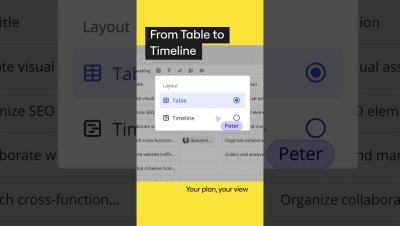
How to Use Tables and Timelines in Miro | Organize Projects like a Pro

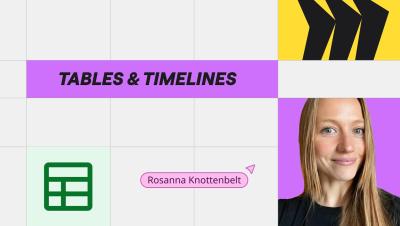
Learn how to use tables and timelines in Miro to structure your ideas, plan next steps, and customize your workflows for any project. In this video, we walk you through: How to create a table in Miro effortlessly Pasting a CSV directly onto the canvas Full customization options for rows, columns, and more Using tables and timelines for project planning, task tracking, and more Whether you're working on a product roadmap, content calendar, or project management board, Miro tables are a game-changer for visual structure and flexibility.

How to Create Content in Miro: Everything You Need to Know

Learn how to create content in Miro like a pro! In this video, we walk you through Miro’s powerful creation toolbar and share tips for using it effectively. We start by exploring the templates library, then show you how to add sticky notes, write text, create frames, and more. Whether you're new to Miro or want to level up your visual collaboration, this tutorial covers everything you need to start creating clear and engaging content.

How to Use Sticky Notes with Miro AI GAME-CHANGING Tips!

Sticky notes are no longer just for jotting down ideas—Miro AI takes them to the next level! In this quick tutorial, discover how to use sticky notes to brainstorm, organize, and plan smarter than ever. What you'll learn in this video: With Miro AI, sticky notes become a powerful tool for collaboration and turning ideas into action. Watch now to see the magic in action! Like this video? Don’t forget to comment and subscribe for more 1-minute Miro tips!

Research Planner Blueprint: Supercharge Your Research Workflow

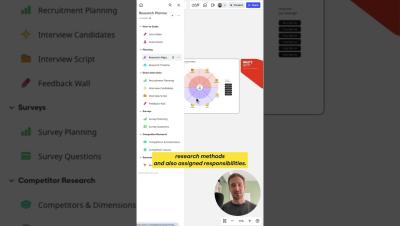
Explore the brand-new Research Planner Blueprint in Miro — designed by Raz from Just Mad to help teams run better research, faster. In this quick tour, Raz walks you through the blueprint’s structure and show how to use each dedicated section — from direct interviews and surveys to competitor research. Supercharged with Miro AI, this blueprint helps you speed up your workflow and collaborate with your team more effectively.

How to Design UML Class Diagrams in Miro INSTANTLY with AI

Creating UML class diagrams doesn’t have to be a hassle—Miro AI makes it fast and effortless! In this tutorial, learn how to use Miro to design UML class diagrams in seconds. Perfect for software engineers, designers, or anyone needing a clear start for creating professional diagrams. What you'll learn in this video: Take your workflows to the next level with Miro AI. Watch now to see how it’s done!

NEW Diagramming Format: Build Precise Diagrams in Miro with Ease

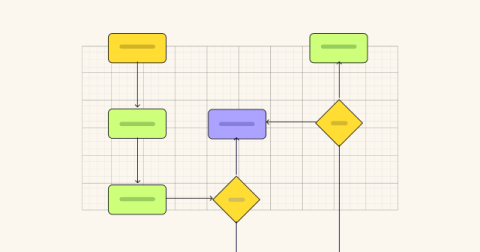
Complex diagrams don’t need complex tools. Miro’s Diagramming Format gives you the structure and precision of a dedicated diagramming platform—without losing the collaborative context of your workspace. From process maps to technical workflows, build with accuracy using specialized tools like snap-to-grid, layers, and auto-align. Then switch between focus mode and the board to connect your work to the bigger picture.

How to create a Mind Map in Miro in SECONDS

Create a mind map fast with Miro AI! In this quick tutorial, we’ll show you how to use Miro to generate and customize mind maps effortlessly. Whether you're brainstorming, planning, or organizing ideas, Miro AI helps you do it faster than ever. What you'll learn in this video: Transform your ideas into a visual mind map in no time. Ready to try it out? Hit play and start creating! Don’t forget to like this video and subscribe for more Miro tips in under 1 minute!

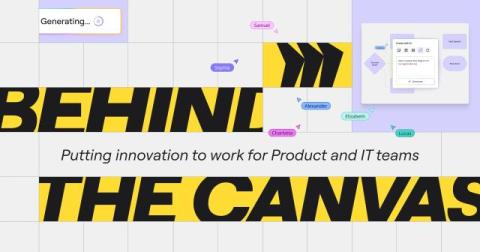
Putting innovation to work for Product and IT teams

We know that traditional ways of innovating are inefficient, fragmented, and slow. That’s why, according to McKinsey, only 6% of CEOs are satisfied with the way they do it. They don’t need an evolution. They need an intervention. That means putting innovation to work by making sure it drives measurable outcomes for critical projects. So Miro is changing to meet the moment.

The top 7 announcements from Behind the Canvas

Catch the best moments from Miro's "Behind the Canvas" event as we reveal exciting new features that will transform how teams collaborate and innovate. From diagramming to Blueprints, we've got you covered with the latest tools designed to work smarter, faster, and in sync. See how Miro’s new capabilities can help you organize, plan, and execute ideas seamlessly.

Mastering Miro Spaces: Tips to Streamline Team Collaboration

Miro Spaces are your secret weapon for managing complex, cross-functional work—all in one place. In this walkthrough, see how to create spaces, assign roles, manage permissions, organize content into sections, and collaborate with ease. Whether you're launching a new feature or running team rituals, Spaces help keep everything structured and accessible. Subscribe now for more ways to supercharge your team’s workflow with Miro.

Spaces, Formats & Focus Mode in Miro Explained (with Demo)

Tired of cluttered boards and scattered files? Miro’s new Spaces, Formats, and Focus Mode bring structure to your infinite canvas—making collaboration faster, smarter, and more organized. In this demo, see how your team can streamline ideation, documentation, diagramming, and presentation—all within one connected space. Simplify your workflow and get from idea to outcome with less friction. Subscribe to our channel for more tips, demos, and product updates.

Get into the flow of work faster with Blueprints

Traditional ways of innovating are inefficient, fragmented, and slow. That’s why, according to McKinsey, only 6% of CEOs are satisfied with the way they do it. They don’t need evolution. They need an intervention. That means putting innovation to work by making sure it drives measurable outcomes for critical projects.

Behind the Canvas: Powering Innovation in Miro

Innovation isn’t just about ideas, it’s about making them happen. Join us behind the canvas, where we’re showing you ways to work smarter, faster, and in sync as you bring your ideas to life. In this event, we’re diving into: Spaces — Dedicated places to organize and execute projects. Use them as the central hub where work gets done, from idea all the way to the outcome. See how our teams use them to track customer insights, plan roadmaps, and collaborate across teams.