Teams | Collaboration | Customer Service | Project Management

How to Create a Mind Map in Miro: Complete Tutorial

Mind mapping helps you capture ideas visually, see connections, and organize your thinking. This tutorial walks you through everything you need to create effective mind maps in Miro. What you'll learn: Whether you're brainstorming solo or working with a team, mind maps in Miro keep your ideas organized and actionable. How will you use mind maps in your work? Let us know in the comments. Chapters: Subscribe for more Miro tutorials.
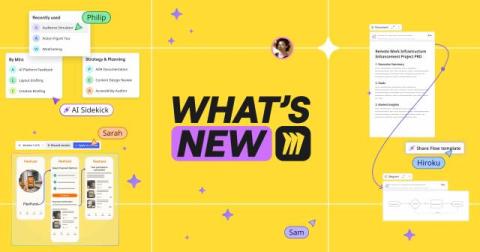
What's New: What we launched in October 2025

Imagine if your team could work with AI the same way you already work together in Miro. Not everyone in their own AI chat bubble. Not copying and pasting things back and forth. Just… together. On the canvas. Where teamwork actually happens. This month at Canvas 25, we made that vision real. It marked the start of a new chapter for Miro as the AI Innovation Workspace — where AI helps your whole team move faster together. Couldn’t make it? Watch the keynote to catch all the announcements.

3 insights for IT leaders planning AI transformation

We’ve already revealed the top product takeaways for IT leaders from Canvas 25. But that’s barely scratching the surface of all the great insights we heard. Leaders from GitHub, Intercom, Red Hat, AWS, and more joined us on stage to share real stories of AI transformation — their ups and downs, mistakes made, and lessons learned. These are the three big themes we took from their sessions.

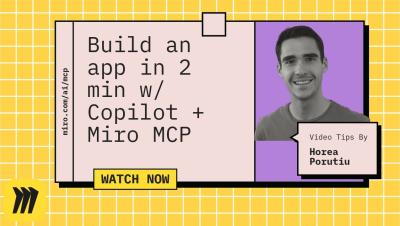
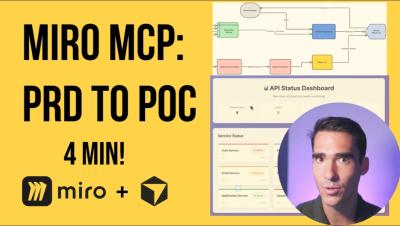
Miro MCP: From Tech Spec to Working App in Under 2 Minutes

This is the ultimate "spec-to-app" workflow. This demo showcases how a detailed Product Requirements Document (PRD) and a user flowchart, both living on a single Miro board, can be used to generate a complete, functional application from scratch. Watch as an AI agent in VS Code, powered by Model Context Protocol (MCP), is given access to the Miro board. The AI reads and understands the entire context, the PRD and the diagram, and then generates all the necessary files for a React application.

Turn Any Miro Board into a Real App - Kiro + Miro MCP Tutorial

Ever wanted to turn a brainstorming session directly into a working application? Watch this powerful end-to-end demo with Horea Porutiu, Senior Developer Advocate at Miro. See how to take unstructured sticky notes from an idea brainstorm and use Miro AI to instantly generate a structured Product Requirements Document (PRD). Then, watch as Miro AI transforms that PRD into a detailed flowchart to visualize the app's logic.

100M users. Every idea, every board, every breakthrough - made by you

100 million creators, dreamers, and doers - all shaping the future together on Miro From the first sticky note to the biggest breakthroughs, you made this possible. Every idea shared, every board built, every collaboration sparked, it’s all part of a global movement to bring teams closer and turn imagination into impact. Thank you for helping us reach 100M users. Here’s to every idea yet to come.

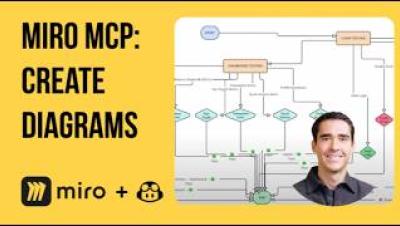
Miro MCP: AI-Powered 'Code-to-Diagram' with GitHub Copilot

See how Model Context Protocol (MCP) and AI can turn complex codebases into clear, understandable diagrams. This demo showcases a powerful "code-to-diagram" workflow using VS Code and GitHub Copilot. Watch two real-world scenarios: This is perfect for documenting existing systems, understanding complex code, and accelerating new engineer onboarding. Chapters.

Proximie: Bringing AI Intelligence to Operating Rooms with Miro

From operating rooms to real-time dashboards—discover how Proximie is transforming healthcare with AI and visual collaboration. By combining Miro's visual workspace with AI-powered prototyping tools, Proximie is enabling healthcare workers to maximize operating room utilization and deliver better patient care. The Challenge: Operating rooms generate massive amounts of analog data, but lack real-time intelligence to help healthcare teams optimize these precious assets.

New Templates in Miroverse - September 2025

September flew by, and the Miro Community has impressively shared over 100 fresh new templates! From “The Summer I Turned Pretty Retro” to the captivating “Retro Horror – Halloween Night,” these templates beautifully capture the essence of the changing seasons. Are you still embracing summer vibes, or have you started to enjoy some Mariah Carey softly playing in the background?

Miro Community Panel - How Teams Get Great Done

Join Jen Clark, Senior Training Lead at Miro, alongside prominent Miro community members for an authentic discussion about how real teams leverage the platform to achieve exceptional results. This special panel features Harrison Plowright, Associate Director of Experience & Digital at Omnia (Globant), Jonathan White, Founder & CEO of Hiro Studio, and Paulina Rozalia Wiklo, Lead Product Strategist at WebPros.

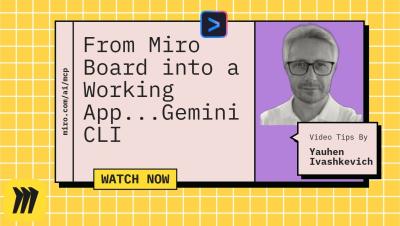
We turned a Miro board into a WORKING APP with Gemini CLI + Miro MCP

Ever wondered how you can turn your detailed Miro board designs into a functional application almost instantly? In this demo, we showcase a revolutionary workflow that does exactly that. Watch as we use a powerful Gemini AI CLI to analyze a complete Miro board for a "Kids Banking App", including the product brief, user flows, and UI designs. The AI agent then scaffolds an entire Next.js project, writes the components, sets up styling with Tailwind CSS, and builds a working prototype from scratch.

Lufthansa Group's Miles & More: Accelerating product iteration by empowering PMs to prototype

The Lufthansa Group is an aviation group with operations worldwide. It plays a leading role in its European home market. Miles & More is Lufthansa Group’s loyalty program, serving millions of customers. In a highly competitive industry, Miles & More needs to be nimble and work fast with limited resources to meet rising customer demands and stay ahead of the competition.

Introducing Miro for Product Acceleration

Product teams have had a front row seat to AI transformation in recent years as AI democratizes craft across functions and dramatically compresses workflows, especially during the delivery phase of the innovation loop. Amid these shifts, product leaders are reimaging how their teams operate to deliver outsized impact in the AI era. And at Miro, we’ve been working with these teams to help ensure they thrive during this transformative time.

The AI Innovation Workspace has arrived

There’s something missing from the AI revolution: teams. AI is everywhere, but it’s all in silos. In fact, 76% of leaders say most AI tools focus on the individual versus the team.¹ People may make quick progress on their solo projects when they work alone with AI, but work slows down when they sync back with their teams — at the exact moment that speed matters most. It’s no wonder organizations aren’t seeing the transformation they expected.

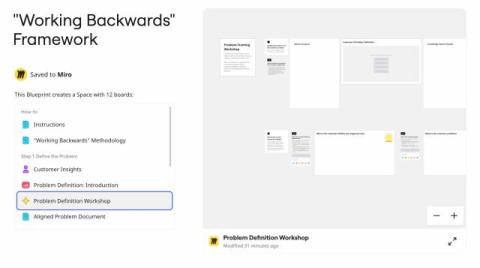
Try the new "Working Backwards" framework for product development

Miro’s “Working Backwards” Blueprint helps teams flip how they build products. Instead of leading with tech, we start with the customer experience and work backward to what we’ll ship. This Blueprint offers a structured approach for defining customer problems, aligning on solutions, and creating compelling product visions through the PRFAQ (Press Release / Frequently Asked Questions) methodology.

How to Create a Fishbone Diagram in Miro

Want to identify the root causes of problems and find actionable solutions quickly? In this step-by-step tutorial, we’ll show you how to create a Fishbone diagram, also known as an Ishikawa or cause-and-effect diagram, in Miro. It is perfect for visually mapping out potential causes of a problem and collaborating with your team to brainstorm solutions. Whether you’re working on a product launch, marketing campaign, or tackling a customer issue, Miro’s Fishbone template helps you streamline the process.

7 Tips to Run Smooth Retrospectives in Miro

Want to make your retrospectives smoother and more impactful? In this video, discover 7 practical tips to run better retrospectives in Miro, from using ready-made templates like the Quick Retrospective to leveraging Miro AI for clustering ideas and creating actionable summaries. Whether you're an Agile coach or just starting out, these tips will help you and your team boost collaboration, gather insights, and leave every retro with clear action items.

15 Miro Sticky Notes Tips You Probably Didn't Know

Think sticky notes in Miro are just simple rectangles? Think again! In this step-by-step tutorial, we’ll reveal 15 powerful features of Miro sticky notes that most users overlook. From quick keyboard shortcuts to advanced AI features, you’ll see how to turn sticky notes into an essential part of your collaboration workflow. What you’ll learn: Whether you’re a product manager, designer, or anyone collaborating visually, these tips will save you time and help you get the most out of Miro.

Miro Tables Tutorial - Organize Your Ideas in Minutes!

Organize your ideas, projects, or data with ease by creating tables in Miro! This tutorial shows you how to add, customize, and use tables for brainstorming, tracking, or organizing tasks. What you'll learn in this video: Unlock the power of Miro tables and simplify your workflows. Watch now to learn how! Found this helpful? Like, comment, and subscribe for more Miro tips in under a minute!

The SECRET to Engaging Meetings? Miro's Presentation Mode!

Make your presentations more interactive and engaging with Miro’s Presentation Mode! In this quick tutorial, learn how to use this feature to collaborate, share, and captivate your audience. What you'll learn in this video: Take your presentations to the next level with Miro. Watch now and impress your audience! Found this helpful? Like, comment, and subscribe for more Miro tips in under a minute!