Teams | Collaboration | Customer Service | Project Management

What's New: What we launched in November 2025

There’s no one way to do great work. Your stakeholders need a timeline while your team uses Kanban. Your workshop needs to land across languages. Your work lives in more than one tool. AI is accelerating all of this. Everyone’s figuring out how AI fits into their workflow — experimenting with new ways to create, collaborate, and use existing context. Which means your tools need to bend, not lock you in. This month’s updates give you the flexibility to get great done, your way.

Why 2026 is the right time for tool consolidation

As Q4 budget planning hits full stride, IT leaders face a familiar issue: The pressure to do more with less while simultaneously preparing for transformative initiatives like AI adoption. But before rushing to fund the next wave of innovation, there’s a more fundamental question to answer: Is your current tech stack helping or hindering your ability to execute? The answer, for most enterprises, is uncomfortable.

Canvas 25 Recap: Miro's AI Innovation Workspace Launch

On October 14th, thousands gathered at Brooklyn's Domino Sugar Factory for Canvas 25, Miro's biggest event of the year. See the highlights from a day packed with product announcements, live demos, and insights from Miro's leadership team on how AI is transforming team collaboration. From new Miro AI features to platform updates that help teams work faster and smarter, Canvas 25 showcased what's next for the AI innovation workspace.

15+ Essential Miro Shortcuts to BOOST Your Productivity

Tired of constantly clicking through toolbars in Miro? These keyboard shortcuts will completely change how you work. In this video, we're sharing the essential shortcuts that professionals use every day to collaborate faster and stay in flow. From creating sticky notes and shapes instantly, to navigating massive boards without losing focus, to duplicating and organizing elements like a pro - these shortcuts eliminate the friction that slows down your creative process.

From Miro Board to Live App in Seconds (Lovable AI + Miro MCP)

Stop getting lost in translation during design handoffs. In this video, we demonstrate the powerful new integration between Lovable and Miro (powered by Miro MCP). Watch as we take a full product spec for "FlexFund Kids", including user flows, design systems, and product briefs, and turn it into a fully functional, deployed application without writing a single line of code manually.

How to Create a Kanban Board in Miro in 2025

Want to learn how to build a Kanban board in Miro to bring order and clarity to your team’s work? In this step-by-step tutorial, we’ll show you exactly how to create a Kanban board from scratch or with Miro’s ready-made templates, plus tips for customizing it for your team’s workflow. We’ll cover: What a Kanban board is and why it’s essential How to use Miro’s Kanban templates How to add tasks, customize cards, and track progress Real-world example for engineering teams Pro tips for collaboration and using Miro AI.

What is AI sprawl? (And how can you avoid it?)

Almost every IT leader I talk to is chasing AI. And they should be — Miro’s own survey of 8,000 people across six global markets shows that 63% of employees are already using it. But here’s the problem: Most companies risk watching their AI productivity gains vanish when they bolt AI onto systems already buckling under too many tools. This is a clear fork-in-the-road moment.

How to Make Tables in Miro: Complete Tutorial

Want to organize your team’s work in Miro like a pro? In this video, we’ll show you how to create and customize tables in Miro, step by step. Learn how to start from scratch, add and edit columns, and fill out your table with key project details like titles, descriptions, status, and assignees. I’ll also show you how to drag sticky notes into your table, sort and filter your data, and switch to the timeline view for a more visual overview.

Product Decision Making with AI: Miro Insights and Portfolios

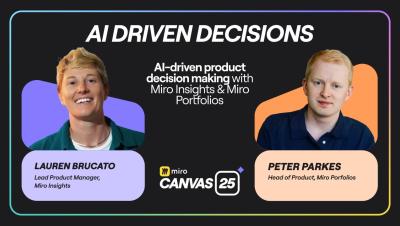
Peter Parkes, Solutions GM, and Lauren Brucato, Lead Product Manager for Miro Insights, demonstrate how AI-driven analytics transform overwhelming product data into actionable insights that drive measurable revenue growth. This session reveals how Miro Insights and Miro Portfolios enable product teams to align strategic decisions on "what" to build with clear understanding of "why" to build it.

How to Build Custom AI Workflows That Work for Teams

Joe McLean, Group Product Manager, and Daniela Kirchhübel, Head of Platform PMM & Partner Marketing at Miro, guide you through building custom AI workflows that transform entire team operations. This hands-on masterclass reveals how collaborative canvases evolve into intelligent prompts that amplify human creativity and decision-making.

Miro AI Prototyping Tutorial for Product Teams

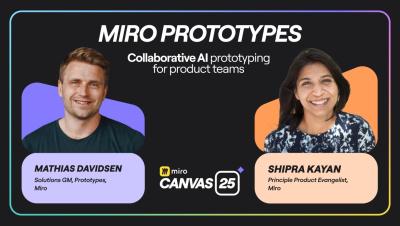
Mathias Davidsen, Solutions GM for Prototypes, and Shipra Kayan, Principal Product Evangelist, demonstrate how Miro Prototypes revolutionizes product development by transforming early ideas into testable concepts before teams touch design tools or write code. This interactive session reveals how collaborative AI prototyping accelerates decision-making and eliminates costly rework.

Teaming with AI: How Voltage Control reinvented product collaboration with Miro AI

When Miro’s new AI Flows and Sidekicks features began to take shape, Voltage Control — a long-time Miro Solutions Partner and facilitation academy based in Austin, Texas — saw an opportunity to explore something bigger than functionality. That curiosity sparked a deep collaboration between Miro’s Product and Customer Marketing teams and Voltage Control’s facilitation experts.

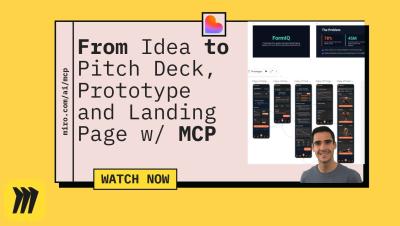
From Miro Idea to AI Landing Page in 5 Mins (Lovable AI + Miro MCP)

Watch how I turn a simple app idea on a Miro board into a fully-designed, professional AI landing page in just 5 minutes. This video demos an incredible AI workflow using Miro's AI to generate a full product brief and then feeding it all into the Lovable AI website builder. If you're an entrepreneur, product manager, or designer, this is the fastest way to go from idea to a live landing page. We use the Lovable platform to instantly generate a high-quality website based on the content from our Miro board.

Miro Hall of Fame 2025: Celebrating the Teams Driving Innovation Forward

Behind every great product, idea, or innovation, there is a team. The Miro Hall of Fame celebrates those teams: the visionaries, builders, and dreamers who use Miro to turn ideas into impact. Each year, we honor the customers and creators pushing the boundaries of what collaboration can look like, from design to strategy, planning to execution.

How to Create BPMN Diagrams in Miro

Learn how to create BPMN diagrams in Miro with this step-by-step tutorial. Map out business processes and workflows using BPMN shapes including start events, tasks, decision points (gateways), and swimlanes for team accountability. This guide covers adding diagrams to your Miro board, accessing the BPMN shapes library in focus mode, connecting elements with arrows, customizing colors and text, adding swimlanes for role clarity, and collaborating with your team in real-time. See a complete example building a customer support ticket workflow from start to finish.

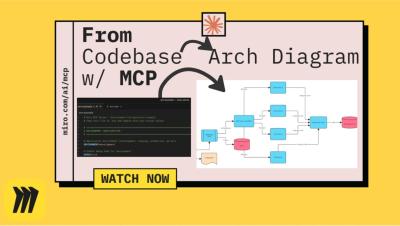
How to Auto-Generate System Architecture Diagrams from Code (Miro MCP + Claude Code)

Ever tried to explain a complex server architecture and wished you could just... automatically generate the diagrams? In this demo, we show an incredibly powerful tool that does exactly that. We use a single command (miro-mcp:code_explain_on_board) to point Miro's MCP Server and Claude Code at a local server codebase. In just a few minutes, the AI analyzes the code and generates four comprehensive, detailed diagrams directly on our Miro board.

How to Create a Flowchart in Miro: Step-by-Step Tutorial

Flowcharts turn complex processes into clear visuals that anyone can follow. This tutorial shows you how to create flowcharts in Miro, from scratch or using AI to speed things up. What you'll learn: Let us know in the comments how you plan to use flowcharts in your projects! Subscribe for more Miro tutorials Chapters.