Teams | Collaboration | Customer Service | Project Management

Collaborating To Help Teams Work Better In The Modern Workplace



What's New: What we launched in March 2026
Most projects start out messy. You’ve got screenshots of things you like, a bunch of links you’ve been saving, and data that needs organizing. The question is, how quickly can you turn that into something useful your team can run with?
How to combine Miro Engage with AI Workflows
Unlock the full potential of your collaborative workspace by mastering Miro Engage. This video demonstrates how to bridge the gap between automated data processing and human creativity. We walk you through how to configure AI Flows to handle the heavy lifting of data organization and insight generation, and how to seamlessly transition those outputs into Miro Engage Activities. Whether you're running a remote workshop or managing a complex project, learn how to keep your team focused and interactive.

How To Create a Circuit Diagram in Miro
Circuit diagrams just landed in Miro. In this video, we walk through how to use Miro's 79 specialized Electrical Engineering shapes to build professional circuit diagrams - from basic LED circuits to complex schematics with transistors, logic gates, relays, and power sources, all inside your collaborative workspace. No more isolated files or disconnected tools. Your circuit diagrams now live alongside your project plans, specs, and team discussions - so engineers, product teams, and stakeholders can design, review, and iterate without ever switching apps.

4 insights that prove your AI strategy is a people strategy
When organizations talk about “AI transformation,” they usually start with the technology. But as we explored in our recent webinar with David Mattin (founder of New World, Same Humans) and Miro’s Dom Katz, the hardest part of transformation isn’t the software; it’s the “human hardware.” To put it another way, your AI strategy is a people strategy because it’s employees who will set the tone and the pace of change.
From Fear to Play: Reframing Creative Work with AI
AI hasn't just changed how ideas are generated. It's changed how decisions are made, what clients respond to, and what "creative value" even means. For many consultants, that shift feels threatening. Proven frameworks become defaults. Fear of losing your edge makes it harder to experiment, especially with AI.

Miro acquires Reforge to help organizations navigate the transition to AI
Together, Reforge and Miro will provide a powerful and highly differentiated solution for teams that blends the tools and knowledge needed to innovate in the AI era.
Miro + Reforge: Building the Right Thing, Faster
Today, I’m excited to share that Miro is acquiring Reforge , including its people, Learning platform, and products (subject to customary closing conditions). I’m also thrilled to welcome Brian Balfour, Reforge’s CEO, as Miro’s Chief Growth Officer, and Tom Willerer, Reforge’s COO, as our Chief Strategy Officer. AI is reshaping how every person in an organization works, from managing agents and automating workflows to rethinking operating models from the ground up.
5 Ways to Use Frames You Didn't Know About
Most people use Miro Frames just to organize content - but they're capable of a lot more. In this video, we cover five underused Frame features that can seriously upgrade your Miro workflow. Whether you're running workshops, building AI-powered workflows with Miro Flows, or collaborating on large boards with multiple stakeholders, Frames give you more control than you think. Watch until the end, the last tip alone will save you from ever telling a stakeholder to "scroll to the right section" again.

Did you know?
Miro offers live, expert-led webinars for every skill level and use case! From learning the basics of how to create content to generating automated workflows with AI. Check out the schedule with EMEA, APAC, and AMER friendly times!
Unleashing the creative spark: How Miro and reMarkable are driving product innovation
In product development, the “concept and ideation” phase is often where the magic happens — or where it’s lost. A common scenario: a dozen browser tabs open, notifications pinging, and a blank document staring back at you. While modern product lifecycle management (PLM) gives us the framework, the “messy” beginning of a product’s life requires something more intuitive than a keyboard.
6 Miro Hacks That Make You Look Like a Pro
If you're still clicking the toolbar to select tools in Miro, you're slowing yourself down. In this third installment of our Miro Shortcuts series, we cover six hidden mechanics that let you bypass the menus entirely - from toggling comments in one keystroke to applying protected locks without touching a single right-click menu. These are the shortcuts that separate casual Miro users from the top 1%. Learn them once and you'll never reach for the toolbar the same way again.
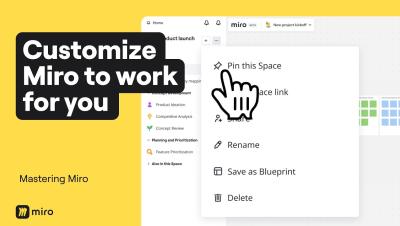
4 Levels of Miro Customization to Save Hours of Work
Most people use Miro as it comes out of the box, but power users know that customizing your workspace can save you hours every week. In this video, we walk through four levels of Miro customization, from quick toolbar tweaks to building AI workflows tailored to how your entire team thinks and works. By the end, you won't just have a faster Miro setup. You'll have an AI Innovation Workspace that captures your team's best practices, speaks your language, and gets smarter the more you use it.
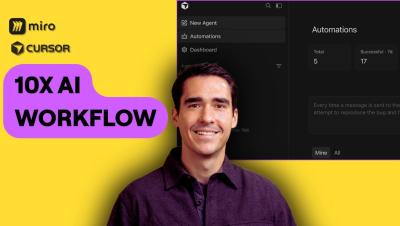
Use Cursor Automations platform with Miro MCP to uplevel your AI Workflows
In this video, Horea Porutiu (Developer Advocate at Miro) demonstrates how to leverage Cursor’s new Automation feature alongside the Miro MCP (Model Context Protocol) server. Watch as we build a custom automation that triggers from a Slack message to automatically generate documentation, comparison tables, and flowcharts directly on a Miro board. If you're looking to streamline the tedious parts of your engineering workflow and focus on creative problem-solving, this AI-driven integration is for you.
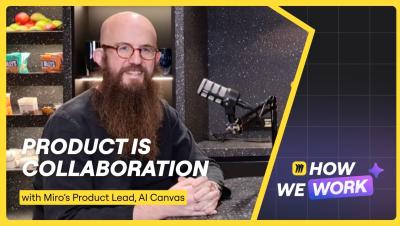
How We Work #2: Product - Joe McLean
In the second episode of the How We Work podcast, host Dominik Katz sits down with Joe McLean, Product Lead for AI Canvas at Miro. Together, they explore the reality of building in the AI era, from the psychological shifts in engineering to the fine line between high-speed innovation and "slop." Joe shares candid insights on why the "bad version" is often your most powerful tool and how AI is fundamentally changing the solo nature of deep work.

Your legacy productivity tools are dead: "AI Workhubs" are the $58B future
For over 30 years, productivity tools from legacy vendors have been the cornerstone of the enterprise tech stack. But a massive structural shift is occurring right now. AI agents are coming for the dinosaurs. According to a new Gartner report1, “How AI Workhubs Will Disrupt the Dominance of Productivity Suites,” AI agents are creating the first true challenge to these mainstream legacy tools in decades.
5 Advanced Mind Mapping Tips for Power Users
You already know how to create mind maps in Miro. This video is about mastering them. These five advanced techniques will change how you plan, collaborate, and build in Miro, from turning mind maps into interactive navigation hubs to using Miro Flows to go from rough ideas to a clickable prototype in minutes. If you've been using mind maps as static documents, this is your sign to stop. When combined with Miro AI, Sidekicks, and Flows, your mind map becomes the starting point for your entire workflow, not the end of it.
New Templates in Miroverse: February 2026
We’re thrilled to see Miroverse Creators using AI solutions more boldly than ever! In February, we added 150 new templates, many of them featuring Flows and Sidekicks. Did you know you can also re-think your existing templates with Flows and Sidekicks? These features can be used in many ways, from summarizing next steps and generating social copy to designing graphics and much more. With AI, your creativity has no limits — plus, it’s a great way to showcase your AI literacy on socials!

4 Tips to Generate Better Diagrams in Miro
Diagramming shouldn't be a manual chore. Whether you are building complex UML sequences, mapping out user onboarding, or organizing an ERD for a CRM, Miro’s AI Innovation Workspace has changed the workflow entirely. We’re diving into four specific ways to optimize your diagrams, ranging from precision AI prompting to managing complex information with Diagram Layers. We also cover how to maintain a "single source of truth" using Synced Copies across Miro Docs and different boards.

5 ways to help employees upskill for AI
Forty-one percent of employees are struggling to fit AI into their daily workflows. It’s got nothing to do with technology and everything to do with management. That’s the finding of a recent Gartner report, The Human-AI Workforce Journey: 5 Steps for CIOs to Accelerate AI-Readiness, which you can download now for free. The most surprising stat? Only 6% of individual contributors have received guidance on the AI skills they need to develop.
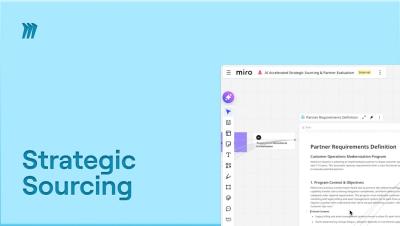
How to use Miro Flows for Strategic Sourcing
What if you could turn stacks of vendor RFIs into a clear, data-driven recommendation in minutes? Miro Flows makes it possible. This tutorial covers the AI Accelerated Strategic Sourcing & Partner Evaluation template—a multi-step workflow where inputs connect directly to outputs through Flows. We start by adding a transformation workshop transcript, stakeholder sticky notes, multiple vendor RFI documents, and sourcing constraints.

How to use Miro Flows for Competitor Analysis
What if you could automate your entire competitive intelligence research without the manual data entry? Miro Flows makes it possible. This tutorial covers the AI Accelerated Compete Pricing Reports template—a multi-step workflow where inputs connect directly to outputs through Flows. We start by simply adding a potential competitor's name to execute an 85-step web scraping workflow.
The DUMBO method: how to turn Sidekick conversations into repeatable AI Flows
As a cloud architect, you’re going to have to embrace AI as part of your job — unless handcrafted artisan cloud becomes a niche in the future. But this doesn’t mean that you’re going to be left by the wayside. Anybody who has used AI coding tools knows that interesting things can happen when decisions are left up to them. So, that means decision-making should be left up to the people and the code writing to the AI bots … right?
How Endava scaled AI-native delivery with Miro's AI Innovation Workspace and Dava.Flow
Endava is a leading provider of next-generation technology services with 11,000 full-time employees serving enterprise clients across multiple industries. At a time when many organizations are testing AI in pockets — a chatbot here, a model there — Endava recognized the business imperative of a holistic AI transformation strategy at a company-wide level.
How to Create Wireframes in Miro (UPDATED 2026)
Master the art of creating wireframes in Miro! Whether you are building a website, a mobile app, or a complex dashboard, this tutorial shows you how to turn raw ideas into structured visuals using the most efficient workflows in Miro. Creating wireframes in Miro is designed for speed and clarity, allowing your team to move from concept to feedback-ready design without the steep learning curve of traditional design tools.
How engineering leaders can get more from AI code-gen tools
AI code-generation tools promised a revolution in software development. And in many ways, they’ve delivered. Code that once took hours to generate now takes minutes. But the goal isn’t just to code faster; it’s to code well. Your teams need to feed AI coding tools the right context to generate code that works with your existing systems, meets your business requirements, and integrates without expensive rework.
The new governance and compliance framework for AI agents and automation
We’ve reached a point where almost anybody can create their own AI agent or automation. That’s great for experimentation, but a major headache for IT and security leaders. The question CISOs are grappling with is how to give people the tools to explore agents and agentic workflows while making sure they don’t inadvertently break the law or breach data processing agreements. It’s a problem we ran into at Miro.

From AI hesitation to AI alignment: How Collective Next built an AI Manifesto Template in Miro
AI adoption doesn’t stall because teams lack access to the technology. It stalls because people don’t know where the boundaries are. Collective Next — a consultancy that co-designes solutions with Fortune 500 and nonprofit clients — saw this firsthand, both internally and with their clients.

Miro MCP + Claude Code: Shipping Open Source Features with AI Agents
Discover how AI Agents are revolutionizing the open-source engineering lifecycle. In this technical demo, we integrate Claude Code with Miro via the Model Context Protocol (MCP) to bridge the gap between visual planning and production code. Watch as autonomous agents analyze the MCP-Obsidian codebase, gather visual context from a website, and ship a new feature, directly from sticky notes on a board to a live Pull Request.