Teams | Collaboration | Customer Service | Project Management

New Templates in Miroverse: April 2026

In April 2026, our community published 140 new templates to Miroverse. Creators shared everything from participatory design frameworks and futurespective canvases to retrospective tools, UX research artifacts, and AI-powered workflows — with Miro Flows increasingly at the heart of how teams are accelerating their work. Below, you’ll find the top templates and Creators from April 2026, plus an AI workflow spotlight.

Canvas 26: Turning individual AI ambition into organization-wide impact

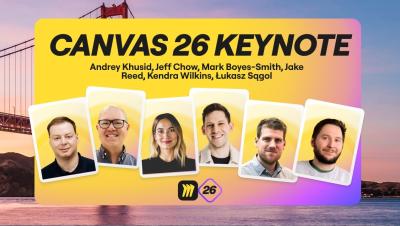
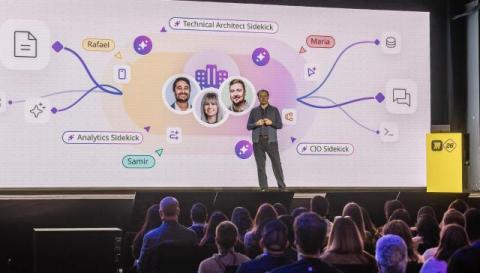
That’s a wrap on Canvas 26! Thousands of leaders, builders, and makers joined us in San Francisco and online to see what Miro’s shipping next. Building on last year’s launch of our AI platform, our Canvas 26 announcements address a problem most organizations are actively working through: AI is making people dramatically faster, but that speed isn’t compounding into impact at scale. Why?

Fix Messy Brainstorms in 60 Seconds with Miro AI

Sorting hundreds of sticky notes by hand is the old way. In this video, we show you how Miro AI clusters your entire brainstorm by keywords or sentiment in seconds, then transforms the results into a structured summary document and a trackable action table, all without leaving your board. From chaos to execution-ready plan in 60 seconds. Subscribe for more Miro AI tutorials.

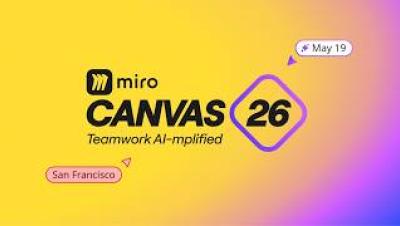
Canvas 26: Teamwork AI-mplified

Join us for Canvas 26 — Miro's global event on collaborative AI for teams and leaders. AI makes everyone a builder. But building the right thing? That takes teams working together. At Canvas 26, learn from the organizations already bringing teams and AI together to solve complex problems — and leave with scalable workflows, actionable strategies, and the insights that actually change how work gets done.

Miro Flip Cards Tutorial - Create Interactive Reveals in Seconds

Static content loses audiences. Flip Cards in Miro turn presentations, workshops, and retrospectives into interactive experiences where participants engage instead of just watching. In this video, we show you how to add and customize Flip Cards, and walk through creative use cases from team icebreakers and retros to stakeholder feature reveals and learning materials. One click. One reveal. Way more engagement.

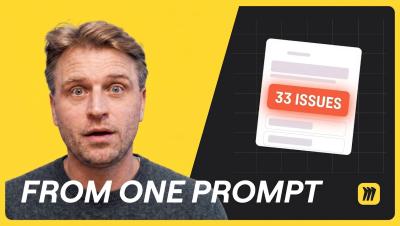
I Let an AI Audit My Product. It Found 33 Bugs.

33 design bugs. One AI prompt. Zero user tests. In this video, Mathias Davidsen: GM of Prototypes at Miro, walks through three AI workflows changing how products get built, validated, and shipped. Whether you're a product manager, designer, or engineer, this is how AI is starting to replace weeks of prototyping work in a single afternoon, without breaking your design system or losing user context. What's the worst usability bug an AI has caught in something you shipped? Drop it in the comments, we read every one.

Collaborative Coding Just Got Easier | Miro Code Blocks

Engineering teams can now add code directly to Miro boards. In this video, we show you how to place a Code Block, choose from over 18 supported programming languages for proper syntax highlighting, toggle line numbers, and adjust font size for presentations and collaborative sessions. Code and context. One canvas. No switching tools. Subscribe for more Miro tutorials for engineering teams.

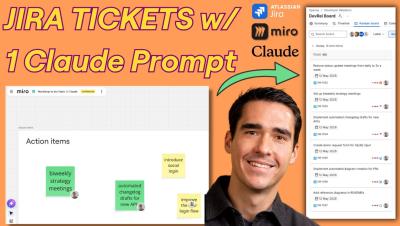
How to Use Miro and Atlassian Claude Connectors to Automate Jira Tasks

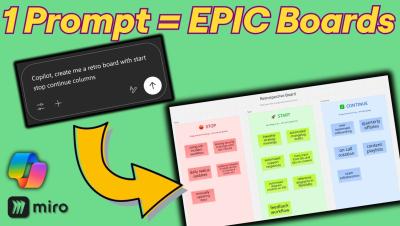
In this tutorial, I show you how to leverage Claude connectors, which use MCP (Model context protocol) to instantly turn Miro action items into Jira tasks. This helps you eliminate manual data entry and focus on prioritization and strategy. By connecting Claude to the Miro Connector and the Atlassian Rovo Connector, you can automate sprint planning and retrospectives with a single AI prompt. Key Topics Covered.

The Miro AI Playground Template That Makes Stakeholders Say Yes

Chaotic brainstorms rarely produce stakeholder-ready concepts. The AI Playground template in Miro changes that. In this video, we walk through the full four-step workflow: brainstorming product ideas with a Sidekick, picking your favorite concept as a team, running a Flow to generate a complete concept package, and refining outputs for stakeholder review, all on one canvas without switching tools. What normally takes days takes minutes.

Custom Fonts in Miro? Here's How

Want boards that actually look on-brand? In this video, we show you how to change fonts across your entire Miro board in seconds, and how Company and Team Admins can upload custom brand fonts to the Brand Center so every team member works with the right typography from day one. Better fonts. Better boards. Zero inconsistency. Subscribe for more Miro customization tips.

Miro AI Templates That Save Hours of Work

Your team's biggest bottlenecks have a shortcut. In this video, we cover the top AI-accelerated templates in Miro, including the AI Playground for product ideation, the Flowchart template that turns text into visual workflows instantly, and the Customer Journey Map template for building real customer empathy across your team. Each one combines proven frameworks with Miro AI so you spend less time on setup and more time on decisions that actually matter.