Teams | Collaboration | Customer Service | Project Management

Margin control for professional services: the ops system that protects delivery profit

Margin control is not a finance vocabulary quiz. In professional services, it is the operating system that decides whether a client project still pays for itself while your team is still delivering it. I spent years on the delivery side of agencies watching "healthy" projects quietly bleed. The decks looked fine, the status calls sounded fine, and then finance closed the month and the delivery margin was gone.

7 best IT consulting software tools for 2026

There's a specific kind of dread that hits when two senior consultants are double-booked on different client programs and nobody noticed until the standup. The board looked green. The utilization report looked "fine." The week was already lost. I work at Teamwork.com now, and before that I spent nine years running client delivery at agencies.

7 best agency software tools for billable teams (2026)

Most “agency software” lists still rank task boards. Billable agencies need something different: a system that keeps multi-client delivery, capacity, and commercial truth on the same page while the work is still moving. I work at Teamwork.com. Earlier I ran delivery on the agency side — concurrent accounts, retainers that looked fine in the pitch deck, and resourcing grids that went stale by lunch.

PSA implementation: the margin-safe go-live map for services teams

Most PSA projects get sold as a software install and fail as an operating-model change. The license is the easy part. The hard part is whether utilization, rate cards, and project margin still disagree with each other after go-live — quietly, for weeks, while leadership plans as if the numbers are real. That is what PSA implementation has to solve. You are not swapping task boards.

What's new in Teamwork.com | Summer 2026

Summer delivered. A completely refreshed Task Details, a rebuilt Budgets page, formula-driven Custom Items, a customizable Home dashboards page and deeper financial reporting all shipped this season, alongside a long run of automation, integration and quality-of-life upgrades. Read on for what landed. And one thing you can try early.

Simplified time logging is here: fewer fields, more accurate time entries

You can now choose a simpler time logging interface for your team, so people log more time and log it more accurately. Admins decide which fields their team fills in and which get calculated automatically. Less friction on the timesheet means better data feeding your budgets, margins and forecasts. Anyone who's chased a team for missing time entries knows the real problem. It's rarely that people don't want to log their hours.

New reporting columns give you a clearer view of project profitability

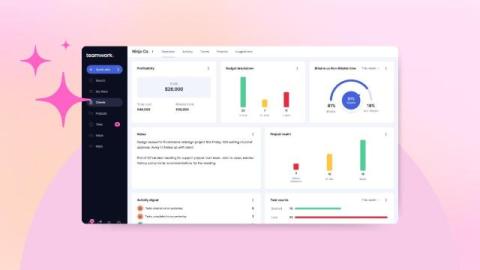
We've added a batch of new columns to custom reports and the profitability report, so you can see revenue, cost targets and effective rates without exporting data or building formulas yourself. If you run delivery or finance for a services team, these are the numbers you check most, now sitting right where you report. This is part of our ongoing work on financial reporting. Less digging, more answers you can trust.

Customize your work experience with Home Dashboards

As part of our recent UI updates, we’ve taken the opportunity to make your entry point into Teamwork.com even more customizable. Meet Home Dashboards, your new personalized place to start every time you log into the platform. You’ve probably noticed that My Work now has its own dedicated spot in the side navigation, so it’s always a click away and separate from the Home area.

The benefits of capacity planning: protect your margin, your deadlines, and your team

Most teams treat capacity planning as an operations chore, something the resourcing spreadsheet handles on a Monday. That framing is why so much client work loses money without anyone seeing where. Capacity planning is the lever that decides whether the work you win is actually profitable to deliver, and this guide walks through the benefits one by one so you can build the case for it and act on it.