
Teams | Collaboration | Customer Service | Project Management

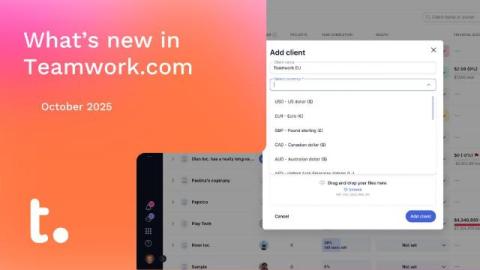
What's new in Teamwork.com | December 2025

It was a big year for us at Teamwork.com, shaped by the features you asked for most. From smarter reporting to powerful AI-driven tools, we shipped scores of releases designed to make your work smoother, more predictable, and more profitable. There were too many features highlights to fit into one post, so we’ve rounded up a few fan favorites in the video below. Here’s to everything we built together in 2025—and to even more in 2026!

Task Management: Tips, Best Practices, Tools & More

Ever wonder how the most productive teams actually get so much stuff done without constant chaos? High-performing teams haven't achieved success by accident. They've done it by organizing their work - scheduling tasks, setting clear priorities, and tracking progress so they're productive and reaching their goals without burnout or confusion. This way of thinking is the crux of task management.

5 types of marketing collaboration tools your team needs

Three-quarters of creative collaboration happens remotely, but waiting for feedback is the problem slowing teams down - costing marketing teams an average of 3-5 hours weekly in delays and rework. How do you make sure your marketing team stays on top of everything - and that nothing falls through the cracks when writers, designers, and stakeholders are spread across time zones?

Tom Goodwin on what AI really means for client work

We spoke to Tom Goodwin, futurist, transformation consultant, and tech optimist, to get his reaction to Teamwork.com’s report The Sprint to AI. Tom’s hot take? Winning the AI race is less about speed, and more about pace, strategy, and keeping a cool head. Here’s 10 key learnings from our chat that offer a different perspective on AI and how it’s impacting client work. Clients on your back about AI?

8 of the best Confluence alternatives in 2025

Are you using Atlassian's Confluence to keep your projects organized and progressing? If so, you're not alone - Confluence is used by thousands of teams for documentation and knowledge management. If so, you're not alone. The widely-recognized tool offers plenty of features, but it's not the only solution in town. Common complaints include steep learning curves, slow editing performance, and weak search functionality that make daily use frustrating.

Coming soon: AI Teammates, your new personal productivity partners

What if every person on your team had someone who helped them stay organized, stay ahead, and stay focused, without the extra hand-holding and endless questions? And more than that, what if that someone already understood your clients, your deadlines, your tasks, your workload… and didn’t just advise you, but actually helped you get things done? We're giving you a peek behind the curtain, because in just a few more weeks, all of this will be possible in Teamwork.com.

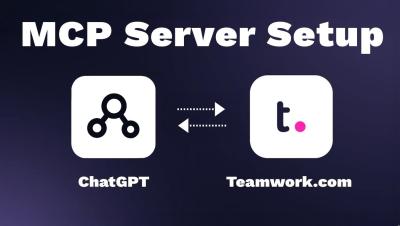
How to Set Up the Teamwork.com MCP Server for ChatGPT

Learn how to set up the Teamwork.com MCP Server so you can use ChatGPT to work with your Teamwork data (Teamwork.com and Teamwork Desk) In this step-by-step guide, we’ll walk through enabling the MCP Server in your Teamwork account, connecting it through ChatGPT’s Apps & Connectors, and granting access so ChatGPT can help you with tasks, projects, tickets, and more.

ChatGPT + Teamwork.com - How to Set Up and Use the New Connector

You can now connect Teamwork.com with ChatGPT using the new ChatGPT Connector, bringing your projects, tasks etcright into your ChatGPT conversations. In this quick tutorial, we’ll show you how to set up and use the new Teamwork.com connector — so you can find information faster, plan smarter, and move from idea to execution without leaving ChatGPT.