Teams | Collaboration | Customer Service | Project Management

Rocket.Chat Named a Category Leader for Instant Messaging and Chat Software by GetApp

We are proud to announce that Rocket.Chat has been named a Category Leader for Instant Messaging and Chat Software by GetApp, a Gartner company, the second consecutive year it has received this recognition. Rocket.Chat placed No. 10 in the category, out of hundreds of products reviewed.


We're changing the way we host our Docker Images - Here's what you need to know

We think docker and container technologies are great and are here to stay. However, there are concerns about Docker Hub (hub.docker.com) and we want to make sure that if anything happens we can continue to provide docker images seamlessly. Additionally Docker Hub provides us with very limited information on pulls and we would like to understand more about how images are consumed so we can provide a better service.

How Rocket.Chat is transforming public safety communications in the US

Technology plays a crucial role in transforming public safety, bringing significant changes to our lives. When combined with the right tools, technology can even save them. That’s the story behind Bridge 4 Public Safety, the app launched with funding from the U.S. Department of Homeland Security (DHS) and built within Rocket.Chat.

Design improvements and bug fixes: get to know Rocket.Chat 3.14

To make the Rocket.Chat experience even more pleasant and smooth for our users, the development efforts of version 3.14.0 were focused on design tweaks and bug fixes. The sizes of the graphic elements present in the last releases have been improved, alongside some new security fixes and improvements in the usability of our new Teams feature. We believe that this will allow a wider and more correct use of Rocket.Chat.

Search for files and document contents in Mattermost

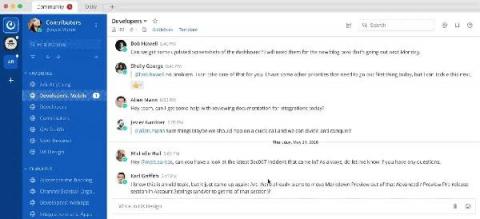
Finding the right information in Mattermost is critical to work smarter and be more productive. Searching in Mattermost now finds both relevant messages and files in your team’s conversation history. Search will return results for attachments that match the file name or contain matching text content within supported document types. File search is available today in Mattermost Cloud and in Mattermost Self-Managed v5.35 (available May 16), with mobile support coming soon.

Courier can disrupt user communication -Sendgrid | Mailgun | Airship | Twilio- Centralized messaging

Troy Goode is based in San Francisco, with his family of 3 kids. They are 10, 8 and 2… so they are back in diapers. He finds family life super rewarding, and loves to go outside, to the park, and spend time with his family. His parents had a boat when he was growing up, and they lived in a rural area. He used to sail down (as a spectator, not a sailor) a nearby river in Virginia. As he got older, he missed the simple peace yet required work that came with sailing – so he picked it back up as an adult.

Mattermost plugins: How to set up your developer environment

The goal of this four-part series is to help you learn how to write your own Mattermost plugins for the first time. To kick things off, this article teaches you how to set up your developer environment. My test computer is a five-year-old laptop with an Intel i5 processor and 4GB of RAM. You need at least 30GB of hard disk for this project. Of course, you’ll also need an internet connection. We start with a freshly installed Ubuntu 20.04. You don’t need to install the desktop environment.