Teams | Collaboration | Customer Service | Project Management

Sponsored Post

Shared Inboxes Cause Inefficiency: Top 4 Reasons to Change

Shared inboxes have become a common tool in many businesses, particularly for shared services teams, customer service departments, and internal communication hubs. At first glance, they seem like a practical solution: a single place for team members to access and manage emails. However, the reality is that shared inboxes often lead to inefficiency, miscommunication, and workflow bottlenecks. If your business is still relying on a shared inbox system, it may be time to reconsider. Here are the top four reasons why shared inboxes cause inefficiency and what you can do to boost productivity.


CodeSignal's CEO on raising $100 million and transforming talent assessment | Sit Down Startup

Welcome to the latest episode of Sit Down Startup! Host Adam O'Donnell sits down with Tigran Sloyan, an @mit alumnus and the co-founder and CEO of @CodeSignal, to discuss his remarkable journey to the forefront of innovation. Uncover the invaluable insights Tigran gained about resilience, adaptability, and the necessity of continuous product evolution. Learn how CodeSignal, which has raised almost $100M, achieved product-market fit by shifting focus to advanced talent assessment tools.

Enhancing Customer Retention with Proactive Support in SaaS

Customer retention is the lifeblood of any successful Software as a Service (SaaS) business. In an ultra-competitive market, simply meeting customers’ needs is no longer enough; SaaS companies must anticipate problems before they arise and proactively offer solutions. This dynamic strategy is essential to retaining customers and reducing churn. If you can, mitigating issues before they escalate is a golden ticket to customer satisfaction and loyalty.

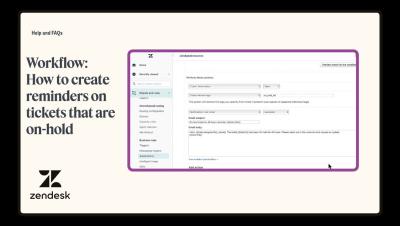
Workflow: How to create reminders on tickets that are on-hold - 2024-09-25

Learn to send reminders to agents for on-hold tickets using macros and automations. Where can I ask questions? Head to The Zendesk Community, our online discussion space where you can ask questions, post product feedback, share tips, and talk with other users worldwide, 24/7.

Scaling Your Department: Best Practices for Growing Your Team with Process and Tools

As businesses evolve, so too do the demands placed on departments and teams. Whether you're in a shared services environment or leading a specialized department, scaling effectively means adding capacity without sacrificing quality or performance. When done right, growth can accelerate productivity, align team goals with the company’s objectives, and foster innovation. However, to do this efficiently, you need the right processes and tools in place.

Manage Virtual Assistants: 3 Best Practices for Using VAs

As remote work and digital collaboration become increasingly prevalent, businesses are turning to virtual assistants (VAs) to streamline operations, reduce overhead costs, and boost productivity. Virtual assistants can handle a wide range of tasks, from administrative duties to specialized project support. However, effectively managing VAs requires intentional planning, the right tools, and clear communication to ensure tasks are completed on time and align with business goals.

Corporate Anxiety and Productivity Anxiety: 4 Ways to Lead and Gain Control Over Your Workspace

In today’s high-paced business world, corporate anxiety and productivity anxiety have become increasingly common, affecting employees and leaders alike. As organizations grow and expectations rise, the pressure to consistently deliver results can quickly lead to stress, burnout, and inefficiency. The overwhelming demand to perform can drive individuals to work longer hours and make hasty decisions, often without gaining any real control over their workspace.

Personalization in SaaS Customer Support: Why It Matters and How to Achieve It

For software companies, competition is greater than ever and customers have many options to choose from. To stand out, your business must not only meet the growing demands of customers, but also make them feel valued and understood. Personalizing your platform drives loyalty and builds strong relationships, taking your business to the next level against the competition.

How to Report on Multiple Zendesk Accounts in One View

If you use Zendesk, you will likely have come across Zendesk's native reporting and analytics tool, Zendesk Explore. This allows you to create custom views of the metrics in your Zendesk account. But what if you want to create reports and dashboards that visualize data from multiple Zendesk accounts? Sadly, this is not possible in Zendesk Explore. Fortunately, it is possible to visualise data from several Zendesk instances in Geckoboard.