Teams | Collaboration | Customer Service | Project Management

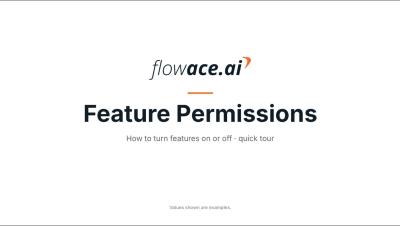
How to Turn Features On or Off in Flowace

Learn how to turn features on or off in Flowace with Feature Permissions: turn on what you need, turn off what you don't, and customize your workspace for all users. Open Admin Settings, then Default Settings, then Feature Permissions. Each feature has its own toggle, so you can set up your workspace in a few clicks. In this video: Chapters: Example setup used in this video: Features and values shown in this video are examples. Set them to suit your company policy.
How to Set Organization Default Settings in Flowace | Flowace

Learn how to set organization defaults in Flowace Default Settings, so every new member starts with the same time zone, timesheet rules, monitoring options and project settings. Set things up once in Admin Settings › Default Settings, then change individual users later under Permissions. In this video: Chapters: Example setup used in this video: Names, days, times and values shown in this video are examples. Set them to suit your company policy. Check your local rules on employee consent before turning on screenshots or activity monitoring.
Customise Your Dashboard in Flowace: Add or Remove Widgets

Learn how to add and remove widgets on your Flowace Dashboard, so it shows the views you want, using Manage Widgets. Open Manage Widgets, look through the Add a Widget panel, and add or remove a widget with one click. In this video: Chapters: Names, apps and values shown in this video are examples. Set them to suit your company policy. Need help? Write to [email protected].
AI Agents for Employee Service: 5 things to look for | Zendesk

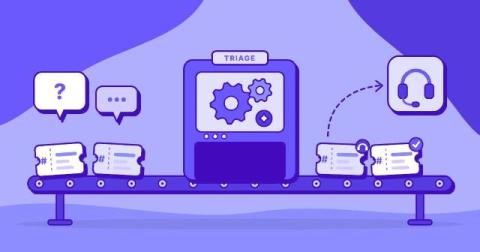
About this video: What should you look for in AI agents for employee service? This video covers five criteria to evaluate: knowledge coverage, permissions and security, ability to take action, channels and integrations, and measurable outcomes and cost. Learn how AI agents differ from chatbots and portals, and how they can support employee requests across HR, IT, and onboarding—from answering benefits questions to submitting time-off requests and coordinating account setup. You’ll also see why human handoffs, clear permissions, and a focused first workflow matter when choosing an agent.

The 7 Best Employee Attendance Tracking Software

When employees show up for work late, leave early, or call in, it has ripple effects on your business. Work doesn’t get done, productivity wanes, and your revenue starts to suffer. Without attendance tracking software, it can be hard to identify the root cause of these issues and hold employees accountable for showing up for work when they’re supposed to. In this video, we’re reviewing the seven best employee attendance tracking software, covering the unique features each platform offers and which types of teams and use cases they’re best for.

The 9 Best Employee Time Tracking Apps (And Who They're Best For)

The right time tracking app can help you prevent time theft, catch billable hours that would otherwise go unbilled, spot inefficiencies before they eat into your margins, and simplify payroll. But it has to fit the work your team does. An app built for salaried knowledge workers probably won’t suit hourly construction crews, and a tool designed for a single retail shop won’t hold up for a franchise with dozens of locations.

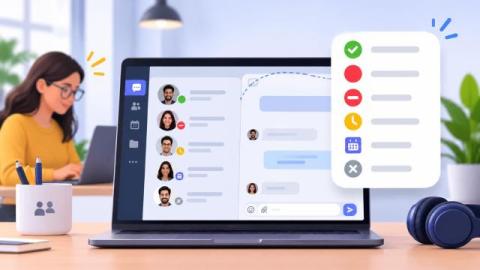
Status Icons in Team Chat: Small Symbols That Protect Focus

Remote teams are unable to look over a room to see who is occupied. That is now done by a small symbol beside a name. When the symbol is obvious, co-workers avoid unnecessary pings and guard the attention of one another. When vague, people have to guess, and that is super time-consuming. Let’s look into common status icons and the importance of labels. So, keep reading to learn how a team can create its own simple legend.

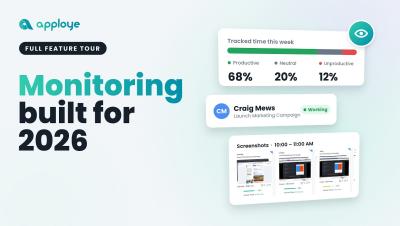
This Is Apploye in 2026. 2027, We're Ready to Take Over.

From 2019 to 2026, we've come a long way. And we're just getting started. What started as a vision back in 2019 has evolved into something much bigger. Today, Apploye is more than just a time-tracking tool. It's a powerful workforce management and employee productivity platform built for the way modern businesses operate. We've spent years building, improving, listening, and pushing boundaries. Every feature, every improvement, and every milestone has brought us closer to where we are today.