

Teams | Collaboration | Customer Service | Project Management

AI-Generated Content in Team Communication: How to Set Guidelines That Work

A product manager posts a status update in the team channel on a Tuesday morning. It is four tidy paragraphs, bolded headings, a closing line that says the team “remains committed to delivering value.” Two engineers react with a thumbs up.


Shared Decks in Distributed Teams: Using AI Redesign Without Breaking the Content

Shared presentations have a familiar failure mode in distributed teams. A deck starts with one person, moves through several time zones, and eventually reaches the client meeting with four different fonts, mismatched slide sizes, and a chart nobody can edit because it was pasted in as an image. AI redesign tools can now clean up the visual side of a presentation in minutes. But they can also quietly alter, remove, or distort important content.

Video Communication for Distributed Teams: Match the Tool to the Conversation

Distributed teams don’t usually struggle because they lack video communication tools. The real challenge is knowing which tool to use for the right conversation. A quick question can easily turn into a 30-minute meeting, a company-wide announcement can become an unnecessary 400-person video call, and the same product walkthrough may be explained live multiple times when a single recording could do the job. The solution is to match the communication format to the purpose of the conversation.

Smoother collaboration with integrations

People do their best work in a state of flow, when they can move from a conversation to a document to a task without breaking their train of thought. That puts the onus on productivity vendors to make their tools work together seamlessly. Customers running sovereign stacks tell us exactly that. As one put it: "It isn't a problem that the apps are named different things, or that they're made by different vendors.

Slack Alternatives: Find the Right Fit for Your Team

Slack can still be working for your team when you start wondering if something else would fit better. Maybe the bill has grown. Maybe conversations are easy to start, but decisions are hard to find later. Or perhaps your team needs a simpler way to turn a request into something someone actually owns. The best Slack alternative depends on what you want to improve: cost, ease of use, asynchronous communication, task management, or control over where your data lives.

Email Overload at Work: How to Stay Responsive Without Checking Your Inbox All Day

Being available has quietly become part of the job description. Nobody writes “check your inbox every seven minutes” into an employment contract. Yet a delayed reply can feel like a small professional failure, even when you were busy doing the work you were hired to do. So you check. Between tasks. Before a meeting. During the few minutes that were supposed to be a break. The uncomfortable part? Staying close to your inbox does not guarantee that important work moves forward.

How High-Speed Internet Helps Small Businesses Improve Team Collaboration

Small businesses increasingly depend on digital tools to communicate, share information, manage projects, and stay connected with employees and customers. When internet connectivity is slow or unreliable, everyday activities such as team messaging, file sharing, video meetings, and access to cloud applications can become frustrating and inefficient. High-speed internet gives employees the connectivity they need to communicate in real time and keep collaborative work moving.

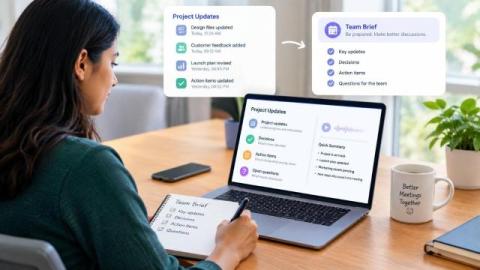
Listen to Project Updates Before a Meeting and Build a Clear Team Brief

The Monday project call is thirty minutes away. Since the last meeting, teammates in three time zones have added a decision log, customer notes, a launch update, and several action items to Notion. Everyone has access to the same page, but each person is arriving with a different amount of context. A listening brief can close that gap before the call begins.

Chanty for Internal Communication: One Platform for Chat, Calls, and Tasks

Every company, whether it has five people or five hundred, develops its own communication maze. Nobody plans it. It grows one reasonable decision at a time: a chat tool here, an email thread there, a spreadsheet someone started “just for now,” a shared drive no one fully trusts. Each piece makes sense alone. Together they form corridors that keep leading back to the same question: where is that decision, and who owns it? None of this looks dramatic on any single day.

Stop Sending Sensitive Files Through Random Apps | Secure File Sharing #troopmessenger

Sensitive business files deserve more than random messaging apps. Uncontrolled file sharing can create unnecessary copies, scattered conversations, and less visibility over important business information. With Troop Messenger, teams can communicate and collaborate through a centralized business communication platform with secure file sharing and enterprise-focused controls. Choose a smarter way to share and collaborate.