Teams | Collaboration | Customer Service | Project Management

The latest News and Information on Project Management, Methodologies, Productivity and Tools.

Five prioritization frameworks to help you make smarter product decisions

Product managers and prioritization frameworks go hand-in-hand like rice and beans, peanut butter and jelly, or bread and butter. We could go on with the food metaphors, but we think you get our drift: prioritization is a top concern for PMs. Whether it’s feedback, requests, or new opportunities, the backlog is a repository for everything you could be doing. But the age-old question persists: What should we be doing?

How a Digital Solutions Retailer Uses OneDesk Project Management Feature

There was once a time when marketing was mostly about handing out flyers and placing radio adverts. Marketing has come a long way since then, and even digital marketing has been subject to evolution. Innovative marketing concepts like data-driven and personalized marketing are but few of the digital marketing trends explored by businesses and marketing agencies recently. With larger players now in the market, contemporary digital marketing trends are more in line with interactive marketing and AI.

Asana tips: How to structure your work in Asana

Whether you’re new to Asana or a power user, knowing how to structure your work in Asana is the first step toward connecting individual work to larger initiatives or goals. In fact, according to the Anatomy of Work Index, employees who have clarity on how their individual work adds value to their organization are 2x more likely to be motivated at work.

OneDesk - Routing Actions

Learn how to set up your Workflow Automations to automate specific actions in OneDesk and eliminate repetitive, manual work for your support agents. OneDesk combines Help Desk & Project Management software into a single application. OneDesk also includes customer-facing applications: real-time chat, customizable webforms, and a customer portal. These integrated applications allow you to serve your customers while conveniently working on your projects in one platform.

OneDesk - Domains

Learn how you can add multiple domains for your customer organizations in OneDesk OneDesk combines Help Desk & Project Management software into a single application. OneDesk also includes customer-facing applications: real-time chat, customizable webforms, and a customer portal. These integrated applications allow you to serve your customers while conveniently working on your projects in one platform.

OneDesk - Summary Cards

Learn how you can view your users' and customers' summary cards to access their full profiles or start a conversation. OneDesk combines Help Desk & Project Management software into a single application. OneDesk also includes customer-facing applications: real-time chat, customizable webforms, and a customer portal. These integrated applications allow you to serve your customers while conveniently working on your projects in one platform.

OneDesk - User and Teams

Learn how you can organize your users into specific teams in OneDesk OneDesk combines Help Desk & Project Management software into a single application. OneDesk also includes customer-facing applications: real-time chat, customizable webforms, and a customer portal. These integrated applications allow you to serve your customers while conveniently working on your projects in one platform.

Nifty Tutorial: Task Management

Bring order to your team’s workflow with Nifty Tasks! Tasks can be as simple as a do-item, or a fully rigged out journeys with a description, a due date assigned subtasks, and attached files & docs. Additionally, tasks have a collaborative comment section to consolidate feedback. If you’d like to keep this task private from project Guests, Members, or Admins, simply hit the Hide Task button! And don’t forget to tie a task to a Milestone to automate milestone progress tracking and the impact on greater project objectives!

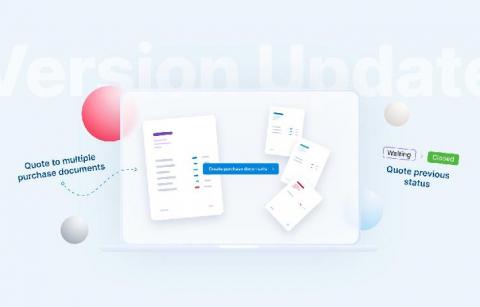
May 2020 Version Update: Introducing Expenses And More

Now that we know a number of meetings could have just as easily been emails, a vast majority of emails could be skipped altogether by managing your business with the help of Scoro. With this update, we’re adding a brand new tool to Scoro for handling various business expenses. In addition, we’re upgrading the Planner for even more convenient work planning, and making additions to Zapier for creating custom workflows to further increase work efficiency.

Visualize your progress with Board View in Teamwork

Visualize your progress with Board View in Teamwork to see the flow of tasks and activities -- so that anyone can see how a project is progressing at a glance With lots of tasks and activities, it can be difficult to see project progress. Visualize it, with Board view in Teamwork and at a glance, see how your project is progressing. See who’s working on what, how each task is progressing,and with customizable tags it’s easy to see how each task fits into the project’s ecosystem — and how they contribute to the big picture.