
Teams | Collaboration | Customer Service | Project Management

Open Source Employee Monitoring Software: What You Take On

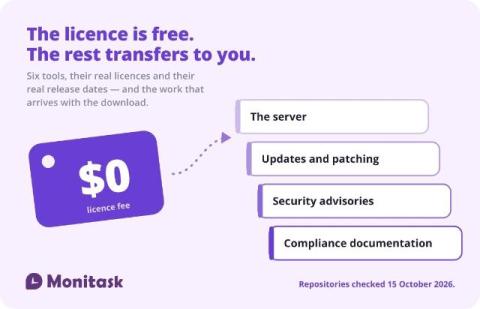
Open source monitoring tools are free to licence and not free to run. The licence question matters more than most guides admit — one popular option is under SSPL, which is not an OSI-approved open source licence, and one widely listed “open source” tool has no licence file at all. Two of the tools that appear on every list are not employee monitoring software in any sense their own authors would recognise.
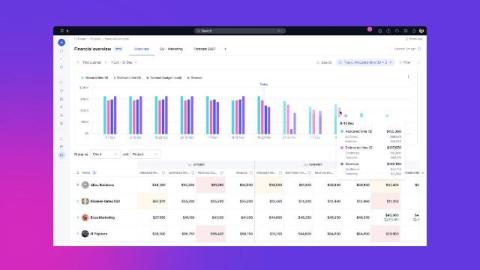

Financial Overview: see where project margin is heading, and why

Halfway through a project, someone asks the question every delivery lead gets: are we still making money on this? The honest answer usually lives in three places: what you planned to earn when you booked the team, what you scoped when you sized the work, and what you've actually earned from the hours logged so far. Financial Overview puts all three on one row. When they don't agree, and they usually don't, the gap is the story of the project: scoped low, booked heavy, burned faster than planned.

Employee Website Monitoring Software Explained

Employee website monitoring software tracks the websites and URLs employees visit during work and organizes that activity into categories. Teams can use the data to understand browsing patterns and see how work time is being spent. This article focuses on three parts of website monitoring i.e. website and URL reporting, blocklists, and allowlists. It explains what each one does and where they differ. TL;DR.

What Is Idle Time at Work? Definition and Examples

Idle time is a period when a monitored computer shows no keyboard or mouse activity for a set amount of time, even though the employee is still clocked in. It shows a lack of detected computer activity, but it does not by itself confirm that the employee stopped working. This article explains what is idle time, how idle time is detected, what can count as idle time, what a normal range may look like, and how to calculate your idle time percentage. TL;DR.

How Security Leaders Can Reduce Audit Time And Maximize Compliance ROI

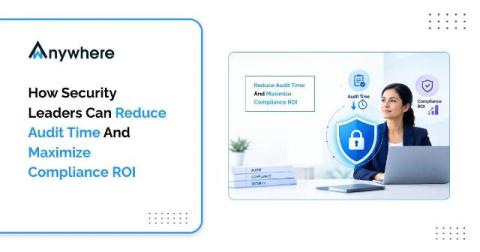
Audit readiness is the ability to show current, reliable evidence that your security controls work, at any point in the year rather than only in the weeks before an assessment. Teams that treat it as a routine discipline spend less time chasing documents and catch control gaps sooner. The core moves are simple: map overlapping requirements, assign control owners, automate repeatable evidence collection and track remediation to closure.

How to Prioritize Support Tickets

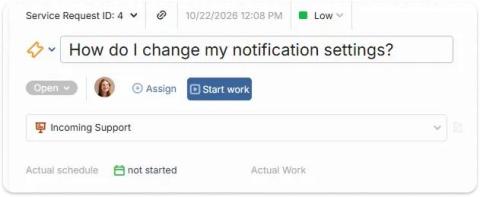
First-in, first-out queues feel fair, but they let a password reset sit ahead of an outage. Going off gut feeling works until the team or queue grows too much. An impact × urgency matrix gives everyone the same rules, takes seconds to apply, and is simple enough to automate. This guide covers how to define each axis, the matrix itself, worked examples, and a step-by-step process you can adopt this week.

Employee Feedback: 10 Statistics That Explain Why Timing Matters

An employee sends over a piece of work they care about. They check their messages, wondering what their manager thinks. A day passes. Then a week. The next assignment arrives, but the feedback never does. At first, they wonder whether the work was good enough. Eventually, they stop asking. They still finish their tasks, but become less willing to suggest improvements or volunteer for something difficult. Extra effort starts to feel like sending a message nobody reads.

How Team Communication Improves Long-Form Content Creation

Creating high-quality long-form content takes more than strong writing skills. Blog articles, industry guides, reports, and thought-leadership pieces often require research, subject-matter expertise, editing, fact-checking, and approval from multiple people. When these activities happen in separate conversations and disconnected tools, content teams can lose time, overlook feedback, and struggle to maintain consistency.