Teams | Collaboration | Customer Service | Project Management

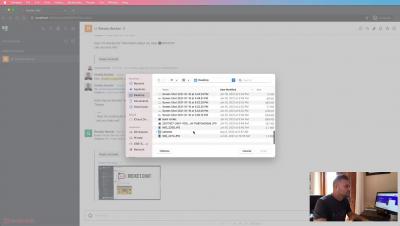
Zulip 3.0: Threaded Open Source Team Chat

We’re excited to announce the release of Zulip Server 3.0, containing hundreds of new features and bug fixes to help distributed and remote teams stay productive and focused. Zulip is the open-source threaded team chat app, used by thousands of teams globally. Zulip’s unique topic-based threading experience combines the immediacy of real-time chat with the asynchronous efficiency of email-style threading.

5 Effective Ways to Improve Agent Productivity with AI

Artificial intelligence (AI) helps businesses meet the digitally-inclined customer on their channel of choice. From ticket deflection to smart automation, the impact of AI on customer service is announcing itself in surprising ways. A customer can now start a conversation over chat, continue it via phone, and pick it up later over email within the same conversation thread.

How to Optimize ChatBots for Customer Service Betterment

With e-commerce swiftly becoming popular all over the world, chat bots have become the new rage where every business online is ready to invest in them. Chat bots for customer service have become essential as this software application has proven to be an excellent online collaboration tool when it comes to automated conversations with clients.

Part 4: Ouch! Solve the pain caused by your current B2B customer support system.

Stop playing ticket volleyball with your B2B customers When you stop playing ticket volleyball with your B2B customers--bouncing tickets from agent to agent or even dev ops—and achieve swift ticket resolution with the right B2B customer support software, everybody wins. We conclude our four-part series about how a B2B customer support software solution like TeamSupport can help solve the many points associated with your current customer support system.

How a branding agency utilizes OneDesk's project management features

As small businesses grow and acquire new customers and users, their work management needs also grow. For agencies that offer multiple, different services, it’s challenging keeping track of every piece of work and every person that is involved with making it happen. Over the course of a business scaling up, they pick up new tools along the way to address needs as they are identified.

How to Asana: Profile settings & do not disturb

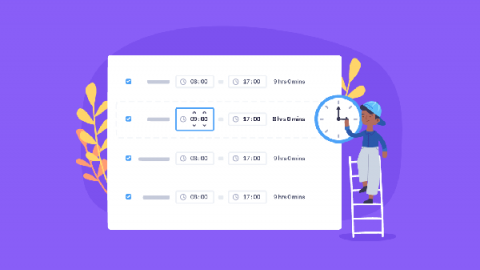
Profile Settings and Do Not Disturb | Asana tutorial —How to set up your profile: 0:23 —How to set up do not disturb: 0:36 —Use the “About me” section to clarify your role and working hours —Hover over a teammate’s avatar to quickly read their profile —Manually schedule do not disturb for focus time —Schedule recurring do not disturb ranges easily —Your avatar will gray out and let team members know when you’re not receiving notifications