Teams | Collaboration | Customer Service | Project Management

How to monitor employee internet usage accurately & ethically

November 10, 2026 Quick overview: To monitor employee internet usage accurately and ethically, start with a clear business question and check the law where your people work. Next, publish a written policy before you track anything. Then capture web and app data only during work hours, share it with employees, and act on patterns instead of single moments. Time Doctor supports this approach by tying web and app usage to the projects and tasks behind every tracked hour.
Employee monitoring laws in 2026: What's legal in the US, UK, EU and Canada

November 6, 2026 Quick overview: Employee monitoring laws in the US, UK, EU and Canada generally allow employers to monitor work activity, but each sets its own rules on notice, purpose and scope. In the US, federal law permits most monitoring of company systems for business reasons, while New York, Connecticut, Delaware and Maine also require notice. Under GDPR and UK GDPR, you need a lawful basis, clear information for workers and monitoring that is proportionate.

How to Set Organization Default Settings in Flowace | Flowace

Learn how to set organization defaults in Flowace Default Settings, so every new member starts with the same time zone, timesheet rules, monitoring options and project settings. Set things up once in Admin Settings › Default Settings, then change individual users later under Permissions. In this video: Chapters: Example setup used in this video: Names, days, times and values shown in this video are examples. Set them to suit your company policy. Check your local rules on employee consent before turning on screenshots or activity monitoring.

How to Turn Features On or Off in Flowace

Learn how to turn features on or off in Flowace with Feature Permissions: turn on what you need, turn off what you don't, and customize your workspace for all users. Open Admin Settings, then Default Settings, then Feature Permissions. Each feature has its own toggle, so you can set up your workspace in a few clicks. In this video: Chapters: Example setup used in this video: Features and values shown in this video are examples. Set them to suit your company policy.

Customise Your Dashboard in Flowace: Add or Remove Widgets

Learn how to add and remove widgets on your Flowace Dashboard, so it shows the views you want, using Manage Widgets. Open Manage Widgets, look through the Add a Widget panel, and add or remove a widget with one click. In this video: Chapters: Names, apps and values shown in this video are examples. Set them to suit your company policy. Need help? Write to [email protected].

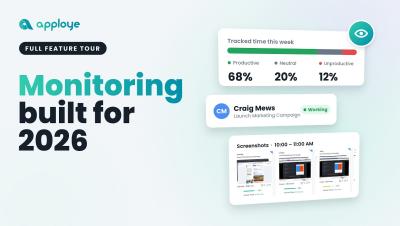
This Is Apploye in 2026. 2027, We're Ready to Take Over.

From 2019 to 2026, we've come a long way. And we're just getting started. What started as a vision back in 2019 has evolved into something much bigger. Today, Apploye is more than just a time-tracking tool. It's a powerful workforce management and employee productivity platform built for the way modern businesses operate. We've spent years building, improving, listening, and pushing boundaries. Every feature, every improvement, and every milestone has brought us closer to where we are today.