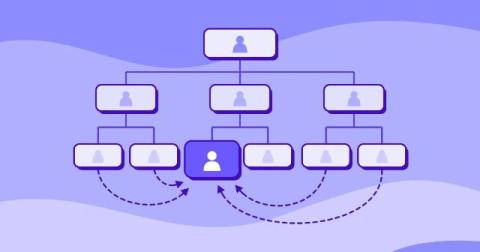
The people a company depends on rarely sit where the org chart says. How to spot knowledge silos and key person dependencies, and redesign the work around them.
November 2, 2026 Quick overview: To monitor employees working from home without losing their trust, set expectations and capture only the data each role needs. Then let employees see the same data you do. Time Doctor, used by 10,000+ distributed teams, shows the time, tasks, and tools behind each workday as it happens. This guide covers six steps: expectations, what to capture, one live view, results, check-ins, and well-being.
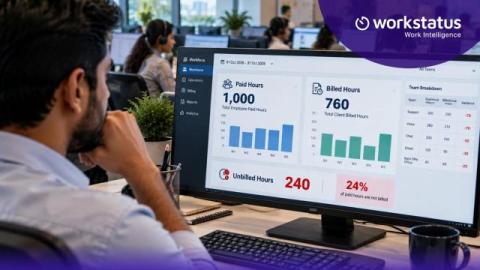
Say an agent works a 9-hour shift. You pay for all 9 hours. But you can bill the client for only 7. Those 2 hours are a cost you never get back. Now picture that across every agent and every shift. That’s where BPO margin quietly leaks. Most teams don’t spot it until month-end, when the numbers don’t add up. It doesn’t have to stay hidden. With Workstatus, you can match each paid shift to the right client account as the work happens.
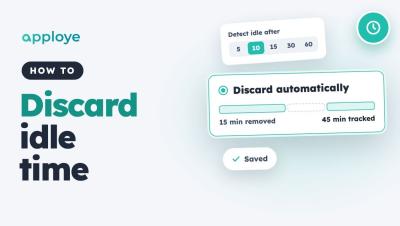
Learn how to discard idle time automatically in Apploye, so idle minutes come off tracked time without anyone having to review them. Go to Settings → Activity → Idle time, choose when time counts as idle, and pick Discard automatically. You can also give individual members their own idle settings.
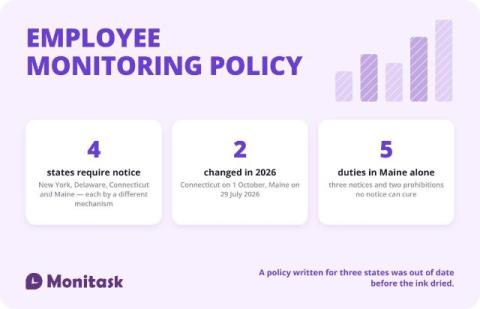
An employee monitoring policy is a written document that tells employees what the employer monitors, why, where, how long the data is kept and who can see it. Four states — New York, Delaware, Connecticut and Maine — require notice before monitoring begins, each by a different mechanism, and two of those four laws changed during 2026. The template below is free to copy in three formats, and the sections marked with brackets are the ones you replace.
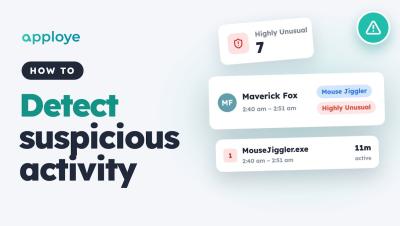
Learn how to detect unusual activity in Apploye: find mouse jigglers, auto clickers, keep-awake apps and macros in the Unusual Activity report, see who used them and for how long, and check the screenshots before you act.
Learn how to turn on Ignore Idle in Flowace so time in calls, meetings and training is not marked as idle. Flowace marks time as idle when there is no keyboard or mouse activity for the time your admin sets. But sometimes you are still working, for example listening in a call or watching a training. Turn on Ignore Idle to keep tracking time even when you aren't moving your mouse or typing. In this video.
Learn how to set the idle time threshold in Flowace, the number of minutes without keyboard or mouse activity before time is marked idle. You can set a default for new users in Default Settings, and change the value for one employee in Permissions, Desktop App. Once the threshold is reached, the whole inactive period is marked idle. Shorter pauses stay active. In this video: Chapters: Example setup used in this video.
Learn how to set the idle time threshold in Flowace, the number of minutes without keyboard or mouse activity before time is marked idle. You can set a default for new users in Default Settings, and change the value for one employee in Permissions, Desktop App. Once the threshold is reached, the whole inactive period is marked idle. Shorter pauses stay active. In this video: Chapters: Example setup used in this video.