Teams | Collaboration | Customer Service | Project Management

What Is Idle Time at Work? Definition and Examples

Idle time is a period when a monitored computer shows no keyboard or mouse activity for a set amount of time, even though the employee is still clocked in. It shows a lack of detected computer activity, but it does not by itself confirm that the employee stopped working. This article explains what is idle time, how idle time is detected, what can count as idle time, what a normal range may look like, and how to calculate your idle time percentage. TL;DR.

Employee Website Monitoring Software Explained

Employee website monitoring software tracks the websites and URLs employees visit during work and organizes that activity into categories. Teams can use the data to understand browsing patterns and see how work time is being spent. This article focuses on three parts of website monitoring i.e. website and URL reporting, blocklists, and allowlists. It explains what each one does and where they differ. TL;DR.

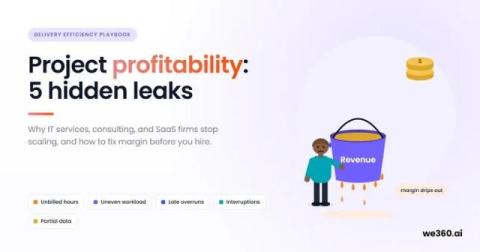
Project profitability: 5 hidden leaks that stop scaling

Project profitability leaks in IT services, consulting, and SaaS firms: 5 hidden causes, a founder scorecard, and a 30-day plan to fix margins before you hire. Free 7-Day Trial 15 mins Setup No Credit-card Top Rated Platform Voted as Highest Rated Employee Monitoring Software in the World by G2 Summarize With AI Project profitability is what a project earns after paying for the people who deliver it. In IT services firms, consulting practices, and SaaS teams, margin rarely leaks through pricing alone.

How to Choose an Employee Productivity App

An employee productivity app tracks work time, app and website use, and idle time on work computers. Before choosing one, compare what employees can see, what managers can track, and which devices the app supports. This article compares what employees and managers can each see in Flowace, whether it runs on your team’s computers, and how to calculate what idle time is actually costing you. TL;DR.

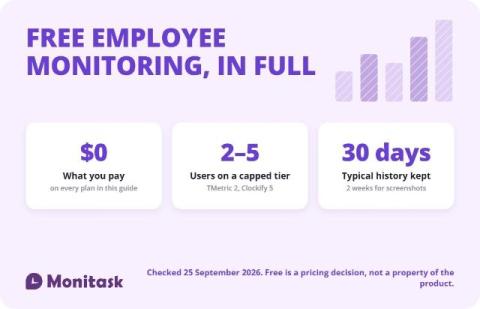
Free Employee Monitoring Software: What You Actually Get for $0

Free employee monitoring software exists, but almost every plan is capped somewhere: at 2 to 5 users, at 30 days of data, or at the features that make monitoring useful. Only a few tools are genuinely unlimited, and those trade the user cap for self-hosting or a narrower feature set. Check the cap, the retention window and the export path before you install anything.

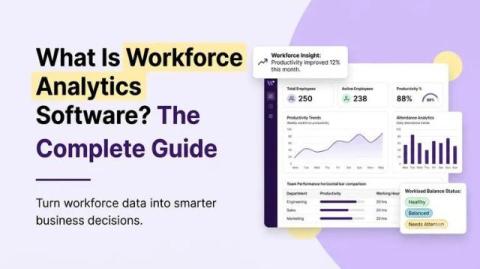
What is workforce analytics software? The complete guide

Workforce analytics software explained: what it measures, how it differs from HR reporting, real examples, and how to choose a platform for your team. Free 7-Day Trial 15 mins Setup No Credit-card Top Rated Platform Voted as Highest Rated Employee Monitoring Software in the World by G2 Summarize With AI Workforce analytics software collects work data, like hours worked and task activity, and turns it into reports. The reports show how your team spends its time.