Teams | Collaboration | Customer Service | Project Management

Using Document Templates in M-Files | Intelligent Information Management System

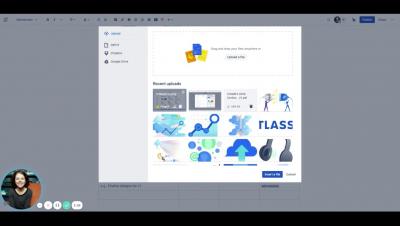
Use of templates in M-Files is really easy. Just select what you want to create and M-Files offers you the templates available. You can select from the ones created specifically for your company and for the specific class chosen, or you can choose from the blank templates.

OneDesk for IT Companies and IT Departments

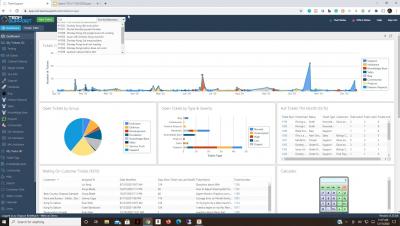
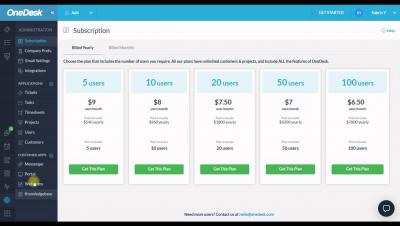
Unlock the project management and helpdesk features of OneDesk to streamline your communications and workflow. OneDesk combines Help Desk & Project Management software into a single application. OneDesk also includes customer-facing applications: real-time chat, customizable webforms, and a customer portal. These integrated applications allow you to serve your customers while conveniently working on your projects in one platform.

Process automation and Conversational AI for Freshservice Webinar by Workativ

Combine process automation and conversational AI for Freshservice to create delightful employee experiences Add an AI-powered contextual chatbot with automated workflows to your Freshservice to enable 24/7 conversational self-service for your employees and automated resolution on Slack or Microsoft Teams.

How IT Firms can Benefit from OneDesk's Powerful Features

Unlock OneDesk's powerful help desk and project management features to better manage your IT Firm. OneDesk combines Help Desk & Project Management software into a single application. OneDesk also includes customer-facing applications: real-time chat, customizable webforms, and a customer portal. These integrated applications allow you to serve your customers while conveniently working on your projects in one platform.

OneDesk for Managed Service Providers (MSPs)

Learn how you can utilize OneDesk's helpdesk and project management features for Managed Service Providers (MSPs). OneDesk combines Help Desk & Project Management software into a single application. OneDesk also includes customer-facing applications: real-time chat, customizable webforms, and a customer portal. These integrated applications allow you to serve your customers while conveniently working on your projects in one platform.

Chat Essentials

Chat Supportive Actions Each chat conversation is supported by the following chat supportive actions to ease team communication and collaboration. When you right-click on any meesage, you would get a menu of chat supportive actions such as Reply, Forward, Copy, Edit, Delete, Recall, Flag, Respond Later and Info. {Alternatively you can hover on each chat message, you could find a small drop-down arrow icon. Click on it for the same chat suggestive menu}.

Integrations

Troop Messenger allows you to integrate with Google Drive, JIRA, GitHub, LDAP, Dropbox and if you want more, you can build automation with the APIs. Robust security, fingerprint access, End-to-End encryption add up to its list of features. The tool has a ‘privacy chat’ (Burnout) feature that allows users to chat confidentially in an incognito window where chat history gets deleted after the stipulated time.