Teams | Collaboration | Customer Service | Project Management

The latest News and Information on Project Management, Methodologies, Productivity and Tools.

Why Project Tracking Is Essential in Team Success

Handling a project will be all too easy if you only have a handful of tasks and people to handle. However, as the tasks grow and undergo certain processes with different people involved, handling a project can be tricky. This is where project tracking comes in. Project tracking will help you streamline processes so you’ll know what tasks are precedent to another. And helping you prioritize one over the other.

11 powerful project management integrations for your HubSpot CRM

HubSpot is a powerful CRM and suite of digital marketing tools that thousands of companies use to coordinate their digital marketing and customer relationship efforts. It’s a highly versatile platform, but of course, it doesn’t do everything your business needs to do. Many of the other tools you rely on (project management software, for one) need to access information within HubSpot or interact with it in some way.

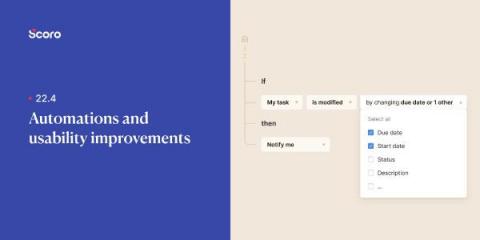
OneDesk - Getting Started with Automations

Workflow automations are a powerful tool inside OneDesk. Learn how to access automations for your tickets and tasks, as well as examples of what can be done with automations in this video. OneDesk combines Help Desk & Project Management software into a single application. OneDesk also includes customer-facing applications: real-time chat, customizable webforms, and a customer portal. These integrated applications allow you to serve your customers while conveniently working on your projects in one platform.

Multiple Services on a Single OneDesk Account

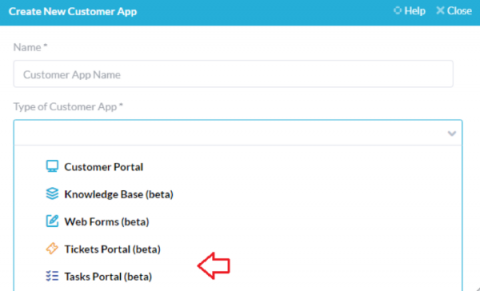
If your company manages multiple services, brands, or a variety of departments each with different workflows, branding or websites, it is important to be sure your clients are receiving properly tailored support. On the other hand, you’ll want your agents to have centralized communication and a streamlined workflow to manage tickets and tasks, even across brands. Luckily, OneDesk’s robust customization options allow companies of all kinds to to set up their apps to best fit their needs.

OneDesk - Auto Routing

Auto routing can be achieved easily and efficiently with OneDesk's workflow automations. Learn how to automatically assign incoming tickets by round-robin, as well as how to route tickets received from a specific customer in this video. OneDesk combines Help Desk & Project Management software into a single application. OneDesk also includes customer-facing applications: real-time chat, customizable webforms, and a customer portal. These integrated applications allow you to serve your customers while conveniently working on your projects in one platform.
Sponsored Post

3 ways to set your productive intentions right for the year!

We all want to set new goals and do our best to maintain them. With the new year having set in, there comes a sort of renaissance tinge to being productive. Everyone wants to revamp themselves in the new year—the way they behave, the way they live their lives, and the way they go about doing their daily activities.

OneDesk - Saved Replies and Automating Replies

Saved replies are a powerful tool available for your use in OneDesk. Learn how to create and use a saved reply, as well as how to attach saved replies to workflow automations in this video. OneDesk combines Help Desk & Project Management software into a single application. OneDesk also includes customer-facing applications: real-time chat, customizable webforms, and a customer portal. These integrated applications allow you to serve your customers while conveniently working on your projects in one platform.

Upwork Time Tracking: How to Use, FAQs, Limitations, Alternative

Upwork Global Inc. is a freelance platform designed for effective remote collaboration between clients and independent professionals, like a graphic designer or freelance developer. The platform allows clients to share information and communicate work objectives with virtual teams. And to ensure everyone gets their money’s worth, Upwork provides a time tracking software solution to invoice work time.

OneDesk - Understanding Gantt Charts and Smart Scheduling

Learn how to access and understand the Gantt layout in OneDesk, as well as the smart scheduling tool, in this video. OneDesk combines Help Desk & Project Management software into a single application. OneDesk also includes customer-facing applications: real-time chat, customizable webforms, and a customer portal. These integrated applications allow you to serve your customers while conveniently working on your projects in one platform.

Manage your Costs and Billing with OneDesk

Budget monitoring is a key aspect to successful project management. The new financials app in OneDesk allows you to easily estimate, forecast and monitor your company’s budget. Regardless of the size of your team, or how you bill your customers, the financials app offers flexibility to set costs and keep track of your company’s finances in real time.