The latest News and Information on Project Management, Methodologies, Productivity and Tools.
You don’t have to be a project manager to experience the challenges that come with handling projects from start to finish. Owners and agency leaders, like you, run into project management challenges on a regular. And it doesn’t matter if you’re large enough to have in-house project managers or handle those functions yourself. Things happen – projects run off course, over budget, or exhaust your most valuable resources.
You can create several timesheets at the same time in OneDesk, as well as apply automations to streamline common processes you encounter while you handle your timesheets. Learn how to create multiple timesheets and apply automations to them below.
Despite the surprising amount of lost time during working hours, and the simple methods which can save it (just 10 minutes of planning your day can save 2 hours of wasted time), around four fifths of employees still don’t use any form of time management system. Time is a precious resource in modern business, but there is a plethora of time management techniques out there, so choosing which one to use can be overwhelming.
Looking to create a burndown chart in Excel? In this article, we will walk you through the concept of a burndown chart, the types of burndown charts, and how to make a burndown chart in Excel. Burndown chart is used by agile project managers to track their projects. This makes it easy to determine, whether things are going according to plan and if you’ll be able to meet your deadline and reach your objective.
Views in OneDesk allow you to group and organize your data based on your specified criteria and within a variety of layouts and better overall plan and prioritize your work. For example, see a hierarchical view of unassigned tickets, assign tasks to users on a Kanban board, group projects by customer and much more. OneDesk’s robust customization options allow for a huge variety of possibilities to fit your company’s needs. Keep reading to learn more about managing views in OneDesk.
This update to OneDesk was released on February 18, 2022, and added several new features and enhancements.
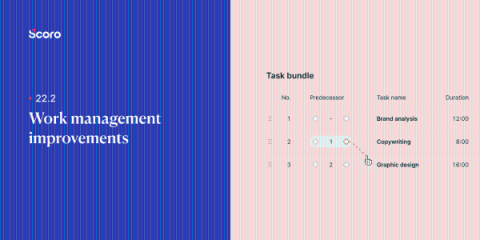
We take great pride in Scoro’s reporting capabilities. Our February update is all about tweaking our financial reporting features by adding flexibility and providing you with more accurate financial information anytime you should need it. Here’s what’s new in Scoro.
Times have changed in the world of product development. Delivery cycles have shortened significantly over the past two decades, so
Looking to learn how to comment on a pdf? Have you ever been in a situation where you had no idea what your boss meant when they said they left a few comments on a document? Or perhaps you’ve been in a team project and wondered whether it would be better to send an email rather than commenting on the document simply. Don’t worry; it has happened to the best of us.