
Teams | Collaboration | Customer Service | Project Management

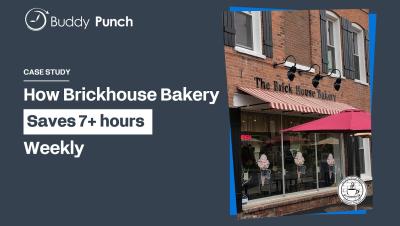
How Brickhouse Bakery Saves 7+ Hours a Week with Buddy Punch

In Cobleskill, New York the owner of Brickhouse Bakery manages 18 staff members. In the past managing employee schedules, time tracking, and time-off requests used to mean spreadsheets, text messages, and extra admin work. After switching to Buddy Punch, Vincent Zaba saves more than 7 hours a week, freeing up his time to focus on what he loves: baking.

STOP Doing These 4 HR Tasks Manually in 2026!

STOP DOING IT MANUALLY! HR teams spend valuable time screening resumes, updating employee records, tracking leave requests, and managing compliance paperwork. But do these processes really need to be handled manually in 2026? In this video, we explore 4 HR processes you should stop doing manually and how AI and automation can help HR teams reduce repetitive administrative work. The 4 HR processes to automate.

Create AI-Powered Sales Demos in Minutes with Claude + Miro

What if you could create personalized sales demos in minutes instead of spending an entire day preparing? With Claude AI and Miro, you can turn account research into tailored, interactive demos that speak directly to your customer's needs. In this video, discover how the Miro team built an AI-powered demo builder that brings together customer insights from Salesforce, Gong, Slack, and other sources into one account dossier. From there, Claude uses that context to create personalized demos in Miro, reflecting each customer's workflows, terminology, and existing tools.

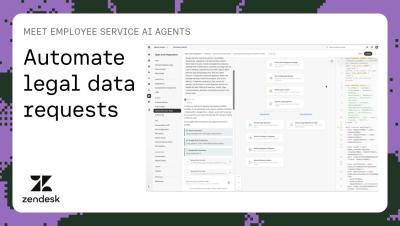
Meet Employee Service AI Agents: Automate legal data requests | Zendesk

Discover how Employee Service AI Agents go beyond answering questions to get the work done. In this video, see how an AI agent handles a personal data request by: Learn how legal teams can easily build these workflows using natural language in Advanced Action Flows and connect them to Employee Service AI Agents. Zendesk makes customer and employee service better. We build software to meet customer and employee needs, set your team up for success, and keep your business in sync.

How to Use Rovo with GitHub: 5 AI Workflows for Pull Requests and Releases

Rovo connects GitHub to Jira and Confluence through the Teamwork Graph, so you can ask it which pull requests to review first, what's blocking a release, what shipped this week, and which pull requests are ready to merge. In this video, you'll see five ways engineering teams use Rovo with GitHub to cut context-switching and find answers that would normally mean checking every repository, Jira board, and release doc.

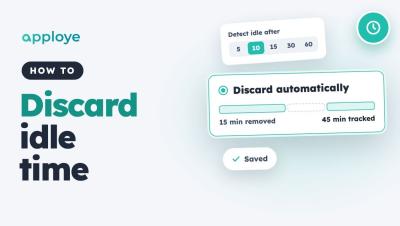
How to Discard Idle Time Automatically in Apploye

Learn how to discard idle time automatically in Apploye, so idle minutes come off tracked time without anyone having to review them. Go to Settings → Activity → Idle time, choose when time counts as idle, and pick Discard automatically. You can also give individual members their own idle settings.

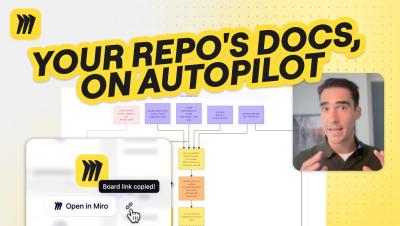
Claude + Miro: Automatically Visualize Changes in Your Repo

Want to keep your system architecture diagrams up to date without manually documenting every code change? In this tutorial, we'll show you how to use Claude scheduled tasks and Miro to automatically visualize changes to your GitHub repository. Learn how to set up a scheduled task that checks your repository for new pull requests, generates updated system architecture diagrams, and visualizes exactly what's been added or removed. You'll also see how Miro makes it easy to compare architecture snapshots, track changes with timestamps, and review proposed updates with your team.

Connect Discovery to Delivery with Miro + AI

Your customer insights, product requirements, and design decisions live across different tools. How do you bring them together to decide what to build and give engineering the context to move forward? In this demo, follow a mobile banking app refresh from product discovery to an interactive prototype and engineering handoff with Miro, Claude, and Cursor.

Idle Time Threshold in Flowace: Set It for New Users and Employees

Learn how to set the idle time threshold in Flowace, the number of minutes without keyboard or mouse activity before time is marked idle. You can set a default for new users in Default Settings, and change the value for one employee in Permissions, Desktop App. Once the threshold is reached, the whole inactive period is marked idle. Shorter pauses stay active. In this video: Chapters: Example setup used in this video.