Teams | Collaboration | Customer Service | Project Management

Intro to Asana Client Management: Asana for Agencies and Professional Services

Asana Client Management is built for agencies and professional services firms. This walkthrough covers the core features, including the Client Portal, Meetings, AI Teammates, Client Directory, and Team Capacity. Most agencies run into the same three problems: client communication spread across channels, every question landing on the account manager, and margin risk that shows up too late. This video shows how Asana Client Management handles each one.

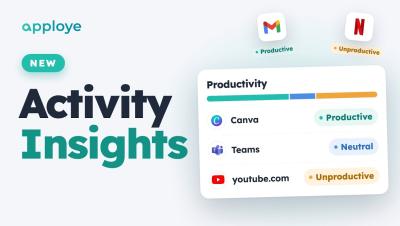
Apploye Activity Insights: Productive vs Unproductive Time + Fake Activity Detection

Apploye Activity Insights is here: see what your team's time actually went on. Every app and website is labelled productive, unproductive or neutral, and Unusual Activity catches mouse jigglers, auto clickers and fake input — even when it's mixed in with real work. This video walks through the whole Activity Insights add-on: where to find it, how the Productivity report works, how to set your own rules, what Unusual Activity flags, what's coming next, and the launch pricing.

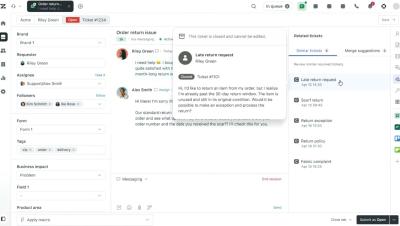
Introducing Advanced Action Flows for Zendesk Employee Service AI Agents | Zendesk

Stop making employees chase answers. Make AI complete the work. Introducing Advanced Action Flows for Zendesk Employee Service AI Agents—so employees can ask for what they need, and AI can orchestrate the systems, approvals, and workflows to resolve it. Beyond answers. Zendesk makes customer and employee service better. We build software to meet customer and employee needs, set your team up for success, and keep your business in sync.

Time Doctor MCP: Analyze Workforce data in Claude, ChatGPT, and Gemini.

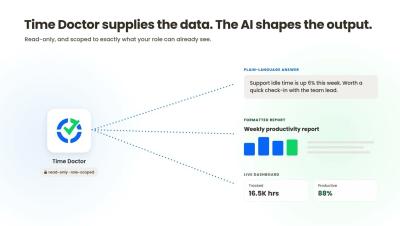
Time Doctor, now in Claude, ChatGPT, and Gemini. Ask your workforce data a question instead of exporting a report. In this video, Time Doctor shows how the Time Doctor MCP connects your Time Doctor data to the AI tools your team already uses. Ask about your distributed team in plain language, refine the answer with follow-up questions, and put Time Doctor hours next to your payroll, CRM, and project data in one place, without stitching spreadsheets together.