
Teams | Collaboration | Customer Service | Project Management

Idle Time Threshold in Flowace: Set It for New Users and Employees

Learn how to set the idle time threshold in Flowace, the number of minutes without keyboard or mouse activity before time is marked idle. You can set a default for new users in Default Settings, and change the value for one employee in Permissions, Desktop App. Once the threshold is reached, the whole inactive period is marked idle. Shorter pauses stay active. In this video: Chapters: Example setup used in this video.
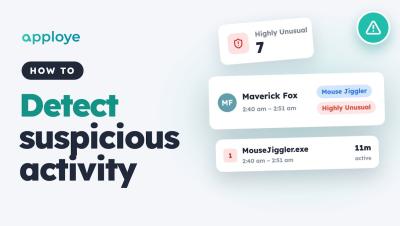
How to Turn On Ignore Idle for Apps and Websites | Flowace

Learn how to turn on Ignore Idle in Flowace so time in calls, meetings and training is not marked as idle. Flowace marks time as idle when there is no keyboard or mouse activity for the time your admin sets. But sometimes you are still working, for example listening in a call or watching a training. Turn on Ignore Idle to keep tracking time even when you aren't moving your mouse or typing. In this video.

Slack School | Create Agents with Slack CLI

With the Slack CLI, getting an agent off the ground doesn’t take hours of groundwork. One simple command gives you everything you need to start building right away. In this episode, we’ll show you how to run ‘slack create agent’, choose your starter template and LLM, and customize your new helper to fit the exact job you have in mind. Class dismissed!

The Accidental CIO: Rethinking IT Leadership in the Age of AI  | Modern Tech POV with Ashwin Ballal

When Ashwin Ballal was first asked to become a CIO, he wondered what he’d done wrong. Six months later, he called it the best job he’d ever had. Now CIO of Freshworks, Ashwin brings an unconventional perspective to IT leadership, shaped by a career spanning engineering, product, marketing, and operations.

Productivity Ratings in Flowace: Company, Team and Individual

Learn how to rate apps and websites as Productive, Unproductive or Neutral in Flowace, for your whole company, for a team, or for one person. The same app can be productive for one team and unproductive for another. Instagram may suit Marketing but not Development. Flowace lets you rate apps and websites for each scope, so each member gets the rating that fits their role. In this video: Chapters: Example setup used in this video.

Work Categories in Flowace: Set Productivity Ratings Faster

Learn how to create a Work Category in Flowace and use it to set Productivity Ratings for many apps and websites at once. A Work Category carries its own Productivity Rating, so it works as a template. Create a Communication category, mark it Productive, and any app or website you give that category follows the rating automatically. You can still edit a rating later. In this video: Chapters: Example setup used in this video.
Stop Repeating These 5 HR Tasks; Instead Automate It in 2026!

HR teams aren’t drowning in work. They’re drowning in repeat work. From employee onboarding to offboarding, HR teams spend hours managing requests, sending reminders, coordinating approvals, and answering recurring questions. In this video, we explore 5 HR workflows you can automate with AI agents in 2026: The real shift in HR automation isn't just AI that answers questions. It's AI agents that can help execute tasks, coordinate workflows, and move work forward—with the right approvals and human oversight.